
A gaming PC and monitor work together to determine how games look and perform. Choosing them as a pair helps create a balanced gaming setup with the right performance, resolution and refresh rate.
A gaming PC monitor bundle can be convenient because it may include a prebuilt gaming PC and a compatible gaming monitor. Some gaming PC bundles may also include a keyboard, mouse, headset or other PC accessories.
The important part is matching the gaming PC with the monitor. This guide explains what to check before buying, including GPU, CPU, RAM, SSD storage, resolution, refresh rate, ports, compatibility, budget and upgrade options.
What Is a Gaming PC and Monitor Bundle?
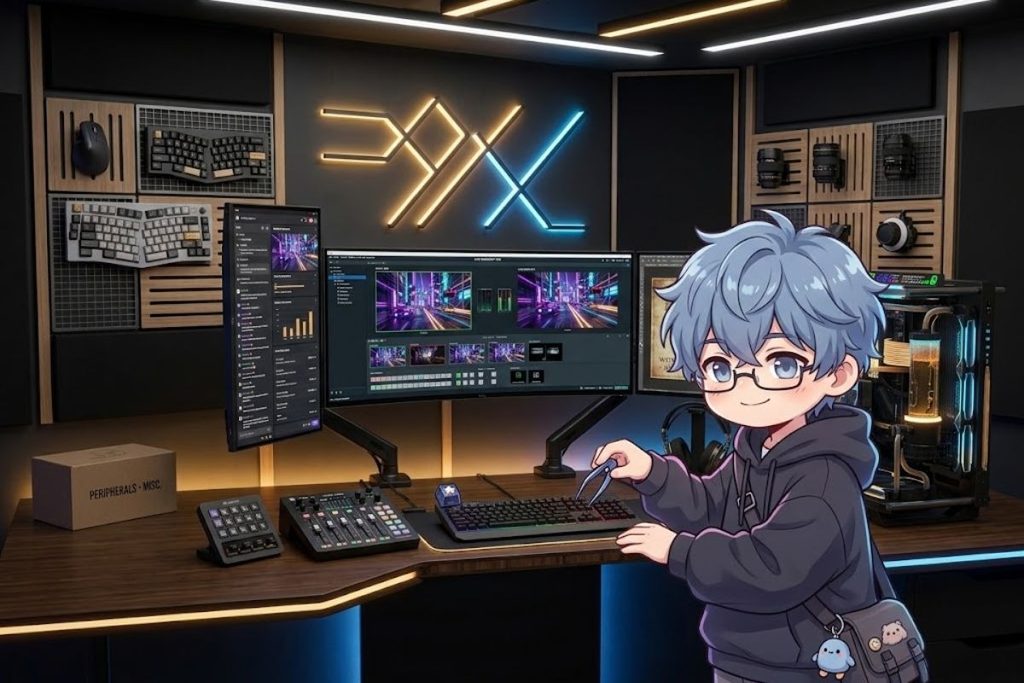
A gaming PC and monitor bundle combines a gaming computer with a display designed for PC gaming. The gaming PC provides processing and graphics performance, while the monitor displays the game’s visual output.
A gaming desktop with monitor can be useful for beginners who want a complete setup without selecting every component separately. However, the included monitor should still be checked for resolution, refresh rate, screen size, response time and connectivity.
Some gaming computer bundles include only the PC and monitor, while others may include a gaming keyboard, gaming mouse or headset. Always check exactly what is included before buying.
What PC Specs Should You Look for in a Gaming PC?
The main gaming PC components are the CPU, GPU, RAM and SSD. These components work together to determine overall gaming performance.
The gaming PC graphics card is particularly important for rendering game visuals and supporting higher resolutions. The CPU handles game processing and other system tasks, while RAM provides memory for games and applications.
An SSD provides storage for Windows 11, games, applications and files. An NVMe SSD can provide fast storage performance on compatible systems.
A balanced gaming computer should have components that match each other. A powerful GPU paired with insufficient supporting hardware may not provide the experience you expect.
CPU vs GPU: Which Matters More for Gaming?
The CPU and GPU perform different jobs. The CPU handles game logic, system processes and calculations, while the GPU renders graphics and visual effects.
For graphics heavy games, the GPU can have a major effect on resolution, graphics settings and frame rates. The CPU is also important, particularly in games that depend heavily on processor performance.
When choosing a gaming PC, consider both components instead of focusing only on the processor or graphics card. The correct balance depends on the games and monitor you plan to use.
How Much RAM Does a Gaming PC Need?
RAM provides temporary working memory for games and applications. The amount required depends on the games you play and what other programs run at the same time.
16GB RAM can be a practical starting point for many gaming PCs. 32GB can provide additional headroom for multitasking, demanding games, recording or running Android emulators for PC smoothly.
DDR4 RAM and DDR5 RAM are both available, but they are not interchangeable across every system. RAM compatibility depends on the motherboard and processor, so check the complete platform before upgrading.
How Much SSD Storage Do You Need for Gaming?
Gaming storage requirements depend on the number and size of games you plan to install. Modern games can take significant space, making storage capacity an important consideration.
A 1TB SSD can provide a practical starting point for many gaming setups. A 2TB SSD provides more space for games, applications, recordings and other files.
An NVMe SSD can offer fast storage performance on compatible hardware. Before purchasing, check the available storage and whether the gaming PC provides additional upgrade options.
How Do You Match a Gaming PC With a Monitor?
The gaming PC and monitor should be selected together. The GPU should have enough performance to make practical use of the monitor’s resolution and refresh rate.
For example, a high resolution monitor can require more GPU performance to run games at higher settings and frame rates. Similarly, a 240Hz monitor is most useful when the gaming PC can produce enough frames to take advantage of the higher refresh rate.
Also check monitor compatibility. The graphics card and monitor should have compatible HDMI or DisplayPort connections for the features you want to use.
What Resolution Is Best for Gaming?
Monitor resolution determines the number of pixels displayed on the screen. Common gaming resolutions include 1080p, 1440p and 4K.
1080p Gaming Monitor
A 1080p gaming monitor can be a practical choice for users who want accessible hardware requirements and high frame rates.
It works with a wide range of gaming PCs and can be suitable for competitive games. Because 1080p requires less GPU performance than higher resolutions, it can also make high FPS gaming easier to achieve.
1440p Gaming Monitor
A 1440p gaming monitor provides more image detail than 1080p while generally requiring less GPU performance than 4K.
It can be a useful choice for gamers who want a balance between visual quality and gaming performance. The GPU should still be selected according to the games, graphics settings and target refresh rate.
4K Gaming Monitor
A 4K gaming monitor provides higher image detail but generally places a greater workload on the GPU.
A gaming PC designed for 4K should therefore have sufficient graphics performance for the games and settings you want to use. If the GPU cannot produce the desired frame rate, the monitor’s full capabilities may not be used.
What Refresh Rate Should a Gaming Monitor Have?
Refresh rate describes how many times a monitor can update its image per second. It is measured in Hertz or Hz.
A 100Hz gaming monitor can provide a smoother experience than a lower refresh display when the gaming PC can produce enough frames. Higher options include 144Hz, 165Hz and 240Hz gaming monitors.
A 144Hz gaming monitor can be suitable for many gaming setups. A 165Hz monitor provides a slightly higher refresh rate, while 240Hz can be useful for players focused on high FPS competitive gaming.
The right refresh rate depends on your gaming PC. A higher refresh rate does not automatically increase game performance if the PC cannot produce enough frames.
What Monitor Size Is Best for Gaming?
Screen size should be selected according to your desk space, viewing distance, resolution and personal preference. A larger display can provide a more immersive gaming experience, while a smaller monitor can be easier to position on a compact gaming desk. Resolution also matters.
A larger screen with a lower resolution may provide less detail than a smaller screen with a higher resolution. Choose a screen size that works comfortably with your gaming setup instead of selecting a size only because it is larger.
What Gaming Monitor Features Should You Check?
A gaming monitor includes more than resolution and refresh rate. Response time, adaptive sync, low input lag, display technology and connectivity can also matter.
HDMI and DisplayPort are common connection options. Check the monitor’s available ports and compare them with the outputs on your gaming PC graphics card.
Adaptive sync can help coordinate the monitor’s refresh behavior with compatible graphics hardware. Before buying, verify that the monitor and GPU support the features you intend to use.
Which Gaming PC and Monitor Is Best for Different Games?
Different games benefit from different PC and monitor combinations. FPS and fast paced anime hack and slash games for PC often prioritize high frame rates and refresh rates, making 144Hz or 240Hz monitors ideal.
RPG and story driven games may place more emphasis on visual quality and resolution. A 1440p or 4K monitor can be considered when the gaming PC has sufficient GPU performance.
There is no need to choose the highest resolution or refresh rate if your PC cannot use it effectively. Match the display to the games you actually play.
How Much Should You Spend on a Gaming PC and Monitor?
The budget for a gaming PC and monitor depends on the performance level and accessories you need. With a lower budget, prioritize the gaming PC and select a monitor that matches its GPU. Spending heavily on a high resolution or high refresh display may not provide much benefit if the PC cannot produce enough frames.
With a larger budget, you can consider stronger GPU performance, more RAM, additional SSD storage and a higher resolution or high refresh rate gaming monitor.
Instead of focusing only on the total price, compare the complete PC and monitor specifications to make sure the bundle is balanced.
Prebuilt Gaming PC With a Monitor vs Custom Setup
A prebuilt gaming PC with a monitor can simplify the buying process because the main computer is already assembled.
A custom gaming setup gives you more control over individual PC components and lets you select a monitor separately according to your requirements.
A prebuilt gaming desktop can be convenient for beginners, while a custom setup may provide greater flexibility for users who understand PC components.
Before buying either option, check the CPU, GPU, RAM, SSD, monitor resolution, refresh rate, ports, power requirements and upgrade options.
What Accessories Come With a Gaming PC Bundle?
The exact accessories included in a gaming PC bundle depend on the package. Some gaming computer bundles may include a gaming keyboard, gaming mouse a Captain 200 gaming headset or other PC accessories. Other bundles may include only the gaming desktop and monitor.
Do not assume that accessories are included because a product is described as a gaming PC bundle. Always check the product contents and specifications.
Can You Upgrade a Gaming PC Later?
Many gaming PCs can be upgraded, but the available options depend on the motherboard, power supply, case, processor platform and other components.
A RAM upgrade can provide additional memory when the existing capacity becomes limiting. Additional SSD storage can provide more room for games and applications.
A GPU upgrade can improve graphics performance, while a CPU upgrade depends heavily on motherboard compatibility.When choosing a gaming desktop bundle, checking upgrade options beforehand can make future improvements easier.
How to Set Up a Gaming PC and Monitor?
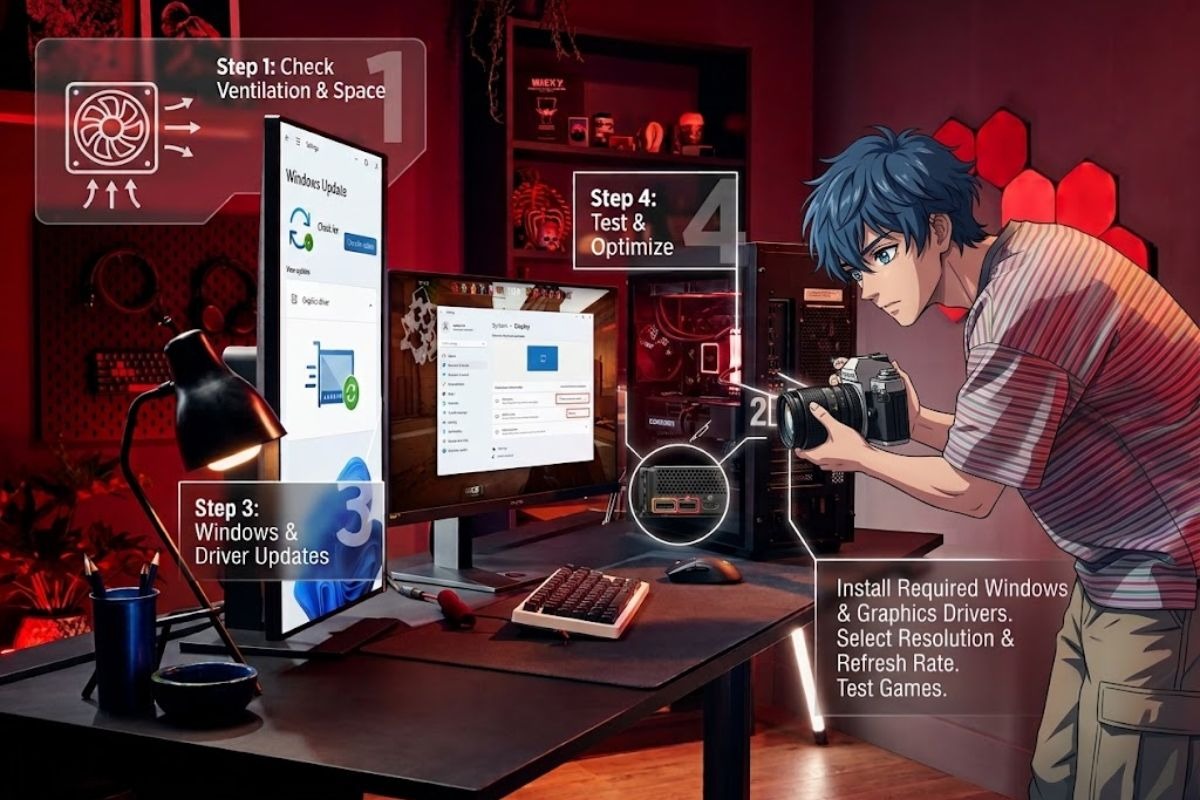
Start by placing the gaming PC and monitor where there is adequate ventilation and comfortable viewing space.Connect the monitor to the graphics card using a compatible HDMI or DisplayPort connection. If the system uses a dedicated GPU, connect the display to the appropriate graphics card output.
After connecting the PC, install required Windows 11 updates and graphics drivers. Then select the monitor’s supported resolution and refresh rate.Finally, test your games and adjust graphics settings according to the performance of your gaming PC and monitor.
Conclusion
A gaming PC and monitor should be selected as a complete system rather than unrelated products. GPU, CPU, RAM, SSD, resolution, refresh rate and connectivity all affect the gaming experience.
For a balanced gaming setup, match the monitor’s resolution and refresh rate with the performance your gaming PC can realistically provide. Also check ports, compatibility, storage and upgrade options.
The right gaming PC and monitor combination depends on your games, budget and preferred gaming experience. A balanced bundle can provide a practical starting point while allowing future upgrades.
FAQs
What is the best gaming PC with a monitor?
The right combination depends on your games, budget, GPU performance, monitor resolution and desired refresh rate. A balanced combination is more important than choosing the most powerful component.
What GPU do I need for 1440p gaming?
The required GPU depends on the games, graphics settings and target frame rate. Choose a graphics card based on the performance you want at 1440p.
What GPU do I need for 4K gaming?
4K gaming generally requires more GPU performance than lower resolutions. The appropriate graphics card depends on the games and settings you plan to use.
Does a gaming monitor need HDMI or DisplayPort?
A gaming monitor may support HDMI, DisplayPort or both. Check the outputs on your gaming PC and inputs on the monitor before buying.
Is a prebuilt gaming PC with a monitor worth it?
A prebuilt gaming PC with a monitor can simplify the buying process. Compare the PC specifications, monitor features, included accessories and upgrade options before purchasing.


Pingback: Controls for PC Games: Complete PC Gaming Guide 2026.