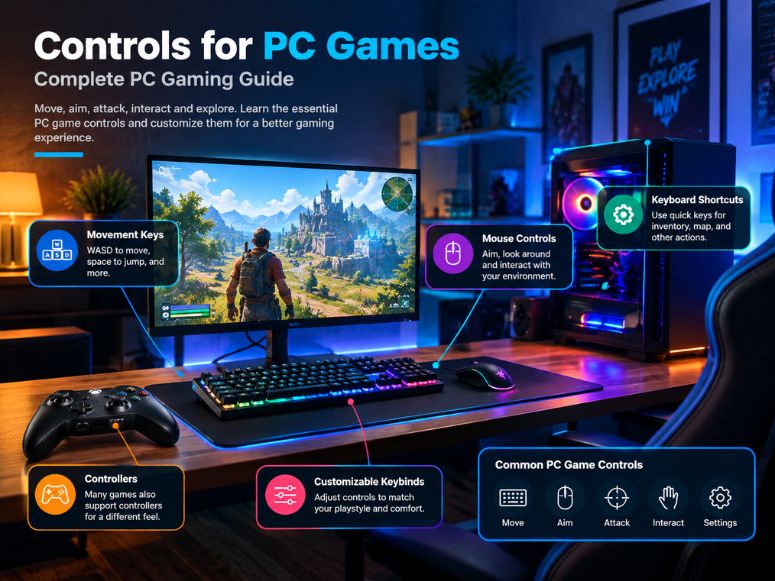
Controls for PC games determine how you move, aim, attack, interact and perform other actions during gameplay. Most PC games use a keyboard and mouse, while many also support controllers.
Understanding PC game controls makes it easier to start a new game and adjust its control scheme. Common controls include movement keys, mouse controls, keyboard shortcuts and customizable keybinds.
Different genres can use different control layouts, but many basic PC controls remain similar. You can also change control settings to match your preferences and improve comfort.
What Are the Basic Controls for PC Games?
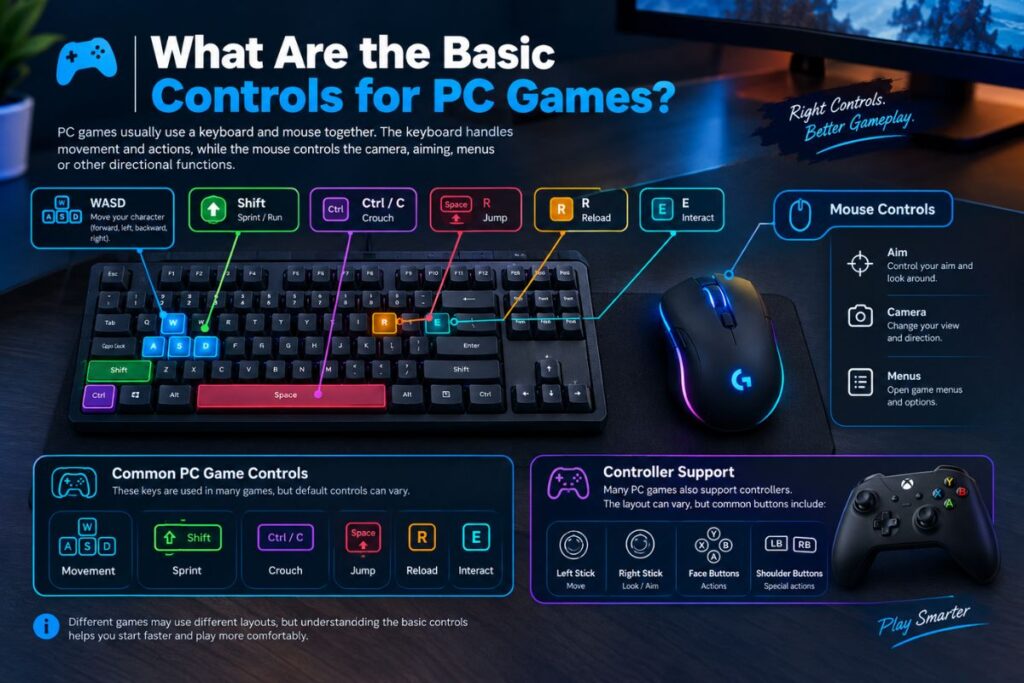
The basic controls for PC games usually combine keyboard and mouse controls. The keyboard handles movement and actions, while the mouse commonly controls the camera, aiming, menus or other directional functions.
WASD controls are widely used for character movement. W moves forward, S moves backward, A moves left and D moves right.
Other common keys include Space for jumping, Shift for sprinting, Ctrl or C for crouching, R for reloading and E for interacting. Understanding these default keyboard shortcuts is also helpful when playing lightweight unblocked anime browser games directly in your web browser.
Common PC Gaming Controls
Common game controls include movement controls, camera controls, aiming controls, shooting controls, jump controls, crouch controls, sprint controls, reload controls and interact controls.
Many games also use number keys for weapon controls, Tab for inventory or menus and Esc for pausing or opening game settings.
These default keybindings are only a starting point. Most modern PC games allow players to change keybinds through their control settings.
What Is WASD in PC Gaming?
WASD is a common keyboard layout used for movement in PC games. The four keys allow players to move forward, backward, left and right without moving their hand away from other important keyboard controls.
W is generally used for forward movement, S for backward movement, A for moving left and D for moving right. This layout leaves nearby keys available for actions such as jumping, crouching, sprinting and reloading.
WASD controls are especially common in FPS, RPG, action and adventure games. Some games allow players to replace WASD with different keys through custom controls.
What Are Keyboard and Mouse Controls for PC Games?
Keyboard and mouse controls are the most common control scheme for PC gaming. The keyboard provides buttons for movement and actions, while the mouse provides precise camera and aiming control.
In shooting games, the left mouse button commonly performs shooting and the right mouse button may activate aiming or ADS. The mouse wheel can switch weapons or perform other actions depending on the game.
Keyboard controls can also include shortcuts for inventory, maps, abilities, communication and other gameplay functions.
Controls for Shooting and FPS Games
FPS controls on PC usually focus on quick movement, precise aiming, shooting, reloading and weapon switching. WASD is commonly used for movement while the mouse handles aiming and shooting.
Common FPS controls may include Space for jumping, Shift for sprinting, Ctrl for crouching, R for reload and E for interaction. These controls can differ between individual games.
Controls for RPG and Action Games
Many modern action RPGs, such as Genshin Impact, combine WASD directional movement with quick keybinds for swapping characters and executing elemental skills.
Action game controls can include movement, jumping, dodging, blocking, attacking and interacting with objects. Custom keybinds can make frequently used actions easier to access.
Racing Game Controls on PC
Racing games can use keyboard controls, mouse controls or controller controls. Keyboard layouts often use W, A, S and D or arrow keys for acceleration, steering and braking.
A controller can provide analog movement, which allows more gradual steering and acceleration. The preferred control scheme depends on the game and input device.
How Do I Change Controls in a PC Game?
To change PC game controls, open the game’s Settings or Options menu and look for Controls, Input, Keybinds or Keyboard and Mouse settings.
Select the action you want to change and assign a different key or button. Some games allow separate settings for keyboard controls, mouse controls and controller controls.After changing the controls, save the configuration and test the new layout during gameplay.
How Do I Customize or Remap PC Game Controls?
Custom controls allow you to assign different keys or buttons to specific actions. This process is usually called key remapping, control remapping or button mapping.
For example, if sprinting on Shift feels uncomfortable, you can assign sprint to another available key. The exact options depend on the game’s control customization features.Some games provide complete input mapping, while others only allow selected controls to be changed.
What Are Custom Keybinds?
Custom keybinds are player selected keys assigned to specific actions. They allow you to create a control layout that fits your keyboard position and playing style.Default keybindings are useful for beginners, but setting up custom keybinds allows for faster input execution giving a distinct competitive advantage in titles like online anime fighting games.
How Do Mouse Settings Affect PC Game Controls?
Mouse settings can have a major effect on aiming and camera movement. Important settings include mouse sensitivity, aim sensitivity, ADS sensitivity, mouse DPI and mouse acceleration.
Mouse sensitivity controls how far the camera or aim moves when you move the mouse. Higher sensitivity produces faster movement, while lower sensitivity provides slower and more controlled movement.
What Is Mouse Sensitivity?
Mouse sensitivity determines how much in game camera movement is produced by physical mouse movement. Different games may provide separate sensitivity settings for general movement and aiming.
If your aim feels too fast, lowering sensitivity can provide more control. If turning feels too slow, increasing sensitivity may make movement easier.
What Is ADS Sensitivity?
ADS sensitivity controls aiming movement when using an Aim Down Sights mode in games that support it. It may be separate from the normal mouse sensitivity.Adjusting ADS sensitivity can help create a more comfortable aiming experience, especially in FPS games.
What Is Mouse DPI?
Mouse DPI controls sensitivity at the hardware or software level, with higher DPI moving the cursor or camera farther with less mouse movement. DPI and in game sensitivity work together, allowing players to adjust both for a comfortable setup.
What Is Mouse Acceleration?
Mouse acceleration changes how much the cursor or camera moves based on the speed of your physical mouse movement.
Some players prefer consistent movement without acceleration, while others may find acceleration useful. The correct setting depends on personal preference and the game.
Can You Use a Controller for PC Games?
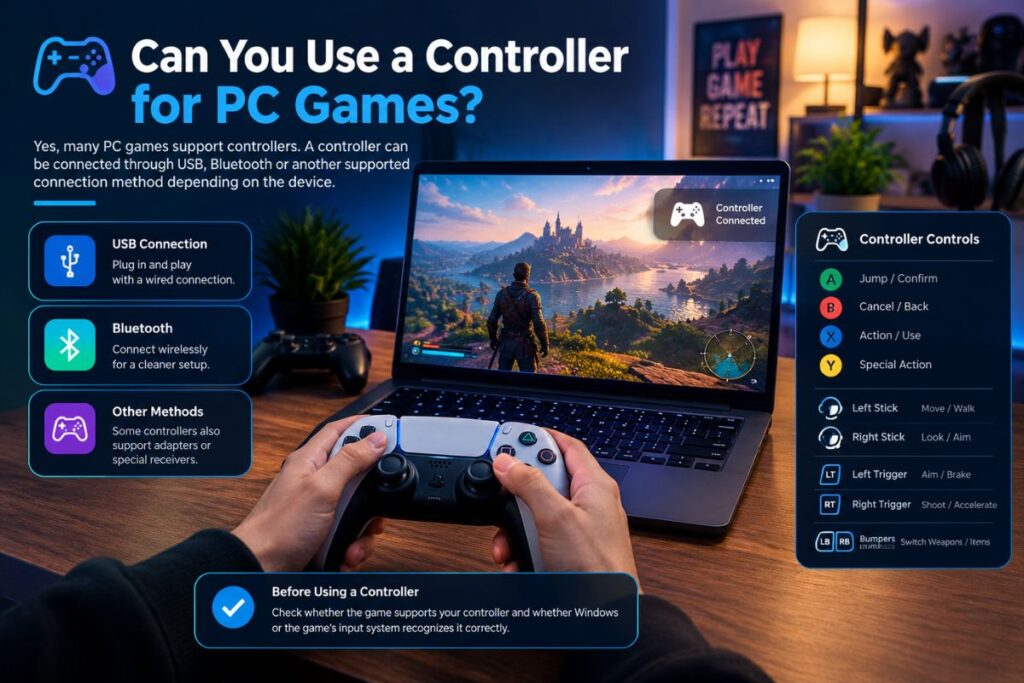
Yes, many PC games support controllers. A controller can be connected through USB, Bluetooth or another supported connection method depending on the device.
Controller controls are different from keyboard controls because actions are assigned to buttons, triggers, bumpers and analog sticks.
Before using a controller, check whether the game supports your controller and whether Windows or the game’s input system recognizes it correctly.
How Do I Connect a Controller to a PC Game?
For a wired controller, connect it to the PC using a compatible USB cable and allow the system to detect the device.
For a wireless controller, connect it using the supported wireless method and make sure the controller is properly paired before starting the game.Once connected, open the game’s controller settings and check whether the correct input device is selected.
How Do I Change Controller Settings?
Controller settings may include button mapping, controller sensitivity, vibration, stick configuration and other gamepad controls.
If the game supports controller customization, open its input settings and assign buttons according to your preferred controller layout.
Some games automatically detect the controller and display the appropriate button prompts during gameplay.
What Is Steam Input?
Steam Input is a system that allows supported games to work with different input devices and controller configurations through Steam.
It can provide input mapping and controller configuration options, allowing players to customize how controller inputs are interpreted by supported games.The available options depend on the game, controller and Steam configuration.
Can You Use Keyboard and Controller Together on PC?
Some PC games allow keyboard and controller input to be used together. For example, a player may use a controller for movement while using the keyboard for additional shortcuts.
However, not every game handles multiple input devices in the same way. Some games may automatically switch button prompts when a different input device is detected.If the controls keep changing between devices, check the game’s input settings and connected devices.
Why Are My PC Game Controls Not Working?
PC game controls may stop working because of incorrect settings, disconnected input devices, conflicting software, outdated drivers or problems with controller compatibility.
If your keyboard controls are not working, check whether the keyboard works outside the game. Then open the game’s control settings and verify that the correct keys are assigned.
If a controller is not working, reconnect it and check whether the PC detects the device. For wireless controllers, verify the connection and pairing.
How Do I Restore Default Controls on PC?
Most games offer a Reset to Default or Restore Defaults option in the control settings. This restores the original keybindings and can fix confusing or incorrect controls. After resetting, test the default layout before making new changes.
What Are Accessibility Controls in PC Games?
Accessibility controls help players adjust input and gameplay options according to their needs. Depending on the game, these options may include key remapping, toggle controls, adjustable sensitivity, invert controls, controller vibration settings and other input options.
The available accessibility controls vary between games. Checking the game’s settings menu can help identify which options are available.
What Are the Best Controls for PC Gaming?
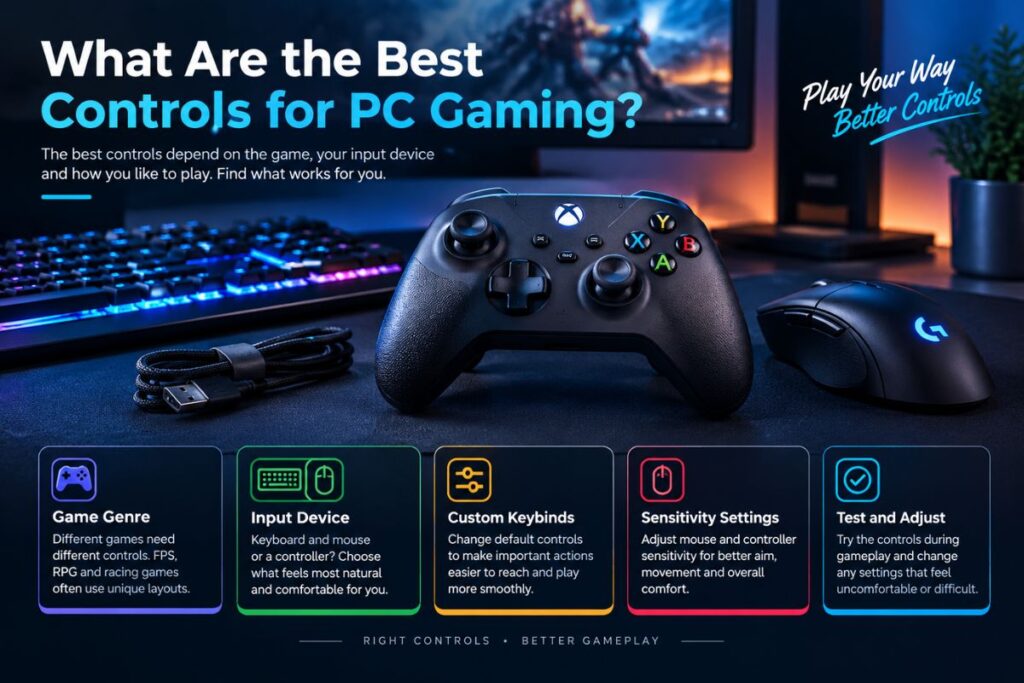
There is no single control layout that works for every PC game. The best PC controls depend on the game’s genre, input device and your preferred way of playing.
Default controls are a useful starting point, while custom keybinds can make important actions easier to reach. Mouse sensitivity and controller sensitivity can also be adjusted for a more comfortable setup.
The most useful approach is to test the controls during gameplay and change settings that feel uncomfortable or difficult to use.
Conclusion
Controls for PC games provide the main way to interact with gameplay through a keyboard, mouse or controller. Understanding basic controls such as WASD, mouse buttons, keybinds and controller inputs makes it easier to start playing.
PC games often allow players to customize controls, remap keys, adjust sensitivity and change input settings. These options can help create a control scheme that feels comfortable and practical.
Whether you use keyboard and mouse controls or a controller, learning and adjusting your PC game controls can make gameplay easier to understand and more comfortable.
FAQs
What are the controls for PC games?
Controls for PC games are the keyboard, mouse and controller inputs used to perform actions during gameplay. Common controls include movement, aiming, shooting, jumping, crouching, sprinting, reloading and interacting.
What keys are used for movement in PC games?
WASD is one of the most common movement layouts. W usually moves forward, S moves backward, A moves left and D moves right. Some games use arrow keys or allow custom movement controls.
How do I change controls in a PC game?
Open the game’s Settings or Options menu and find Controls, Keybinds, Keyboard, Mouse or Input Settings. Select an action and assign a different key or button if customization is supported.
Can PC game controls be remapped?
Yes, many PC games support key remapping and custom controls. The available options depend on the game and may include keyboard keys, mouse buttons, controller buttons and other input settings.
Why is my controller not working on PC?
A controller may not work because of connection problems, compatibility issues, incorrect game settings or device detection problems. Reconnect the controller and check both the PC and game’s input settings.