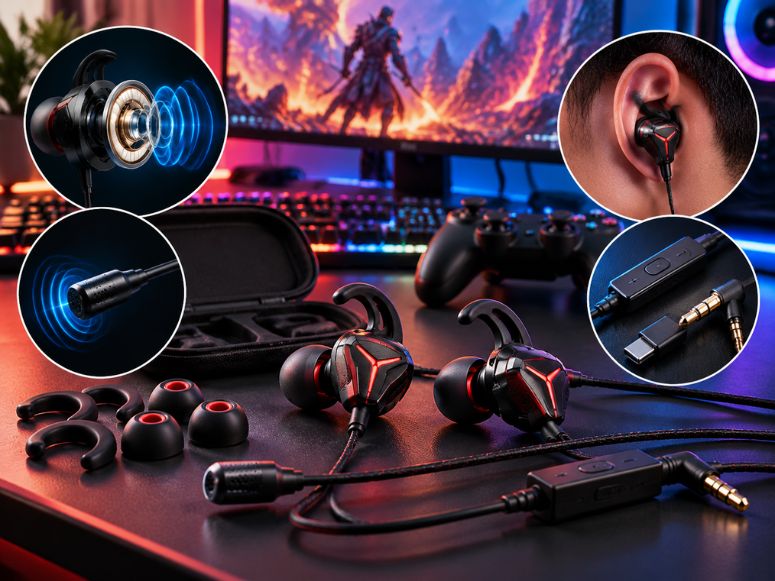
In ear gaming headphones offer a compact alternative to traditional over ear headsets. They take up little desk space and can work well for PC gaming, competitive matches, console play and gaming on the go.
The right pair should deliver clear sound, a comfortable fit, reliable connectivity and a microphone that suits your needs. However, not every pair of earphones is designed for gaming and features such as Bluetooth, noise isolation and wireless modes can affect the experience.
Before buying in ear gaming headphones, consider the games you play, your device, your budget and how long you usually wear earphones. These factors can help you choose equipment that matches your setup.
What Makes In Ear Gaming Headphones Suitable for Gaming?
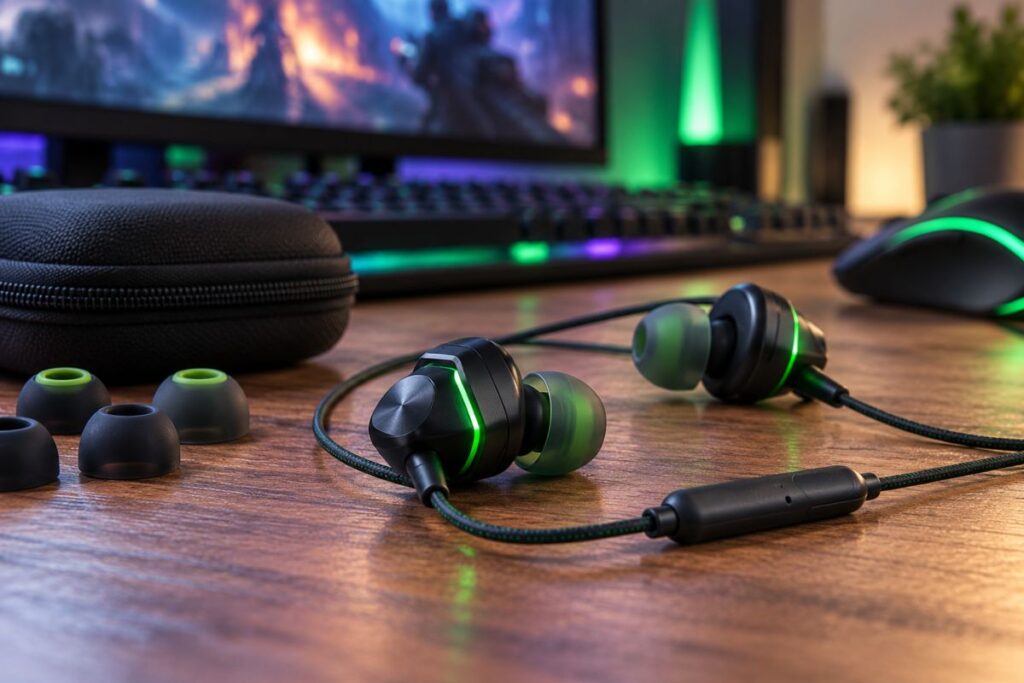
Gaming earphones deliver sound through small earpieces instead of large earcups. Some focus on low latency wireless connections, while others prioritize portability sound quality or everyday listening.
Their compact design makes them easy to carry and store. They can also suit small desk setups where a headset stand or bulky equipment would take up unnecessary space.
Sound quality still matters more than appearance. A suitable pair should reproduce dialogue, environmental effects and music clearly without allowing bass or treble to overpower everything else.
Regular music earphones can also work for gaming. A gaming label alone does not guarantee better audio positioning, lower latency or clearer team communication so check the specifications before buying.
How to Choose In Ear Gaming Headphones?
The best option depends on your gaming habits and which features matter most to you. Compare sound, microphone quality, fit and connection type rather than relying only on product descriptions.
Sound Quality and Gaming Audio Positioning
Gaming sound accuracy helps you distinguish different sounds during a match. Competitive players may need to recognize footsteps and environmental cues, while single player gamers often value clear dialogue, music and detailed sound effects.
Look for balanced sound reproduction instead of assuming stronger bass means better performance. Excessive bass can make explosions feel powerful, but it may also make quieter sounds harder to distinguish.
Audio positioning also depends on the game, platform and audio settings. No earphones can guarantee perfect directional accuracy so independent reviews that discuss imaging and sound separation are more useful than broad marketing claims.
Microphone Quality for Team Communication
If you play multiplayer games, check whether the earphones include a microphone. Some have a built in or inline microphone, while others support a detachable boom microphone.
A microphone’s presence does not guarantee clear voice chat. Background noise, microphone placement and device processing can affect how teammates hear you.
Look for microphone samples or independent tests in quiet and noisy environments. If your earphones sound good but their microphone is weak, a separate USB microphone may be a better choice for desktop gaming.
Comfort and Earphone Fit
Comfort matters during extended gameplay. Poorly fitting earphones can create pressure, loosen during movement or reduce noise isolation, even when their sound quality is good.
Check whether the package includes multiple ear tip sizes. Silicone and compatible foam tips can provide different fits, but neither material is automatically more comfortable for everyone.
Ear shapes vary so a popular model may not fit you well. If possible, choose a seller with a clear return policy and test the fit before using the earphones for long sessions.
Noise Isolation for Gamers
In ear designs can reduce some outside noise when the tips form a proper seal. This passive isolation may help you focus in a shared room or a noisy environment.
Some wireless models also include active noise cancellation, which uses electronic processing to reduce certain external sounds. This is different from passive isolation and neither feature removes every surrounding sound.
Consider your environment before choosing stronger isolation. If you need to hear people nearby, maximum noise reduction may not suit your needs.
Wired vs. Wireless In Ear Gaming Headphones
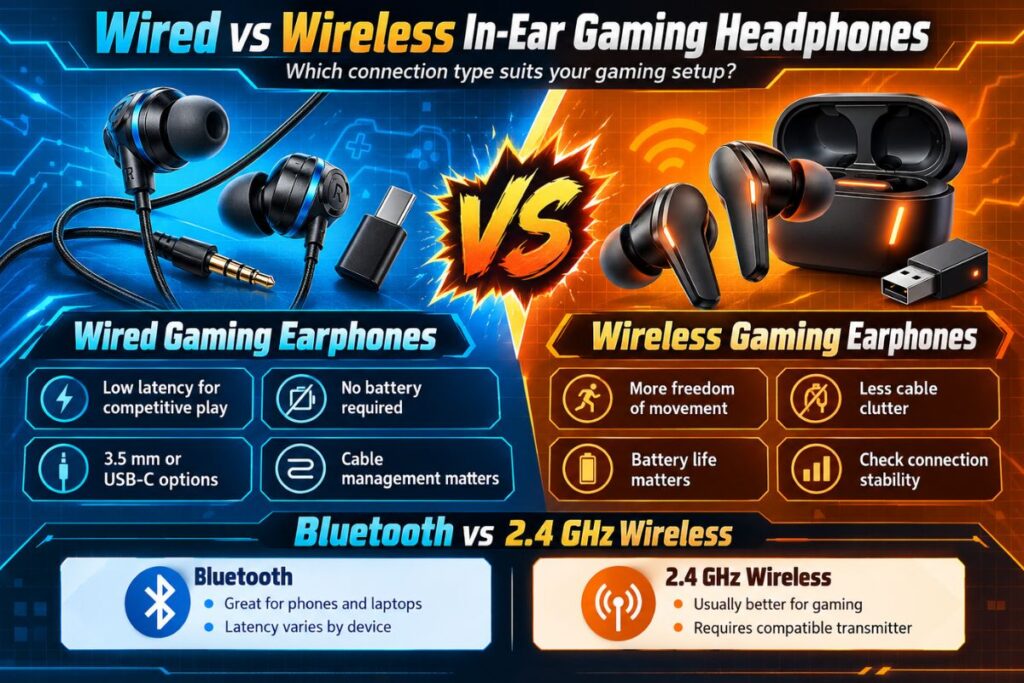
Connection type affects responsiveness, convenience, battery life and compatibility. The right option depends on whether you prioritize competitive play, portability or a cable free setup.
Wired Gaming Earphones
Wired earphones connect through a compatible audio jack or USB port. They avoid wireless transmission delay and do not require a battery, making them a straightforward option for many PC gaming setups.
A 3.5 mm pair can be convenient if your computer has a compatible audio port. Some desktops use separate headphone and microphone sockets so a suitable splitter may be necessary.
USB C earphones can work with compatible devices, but the port alone does not guarantee support on every console or computer. Check audio output and microphone compatibility before buying.
Cables can become inconvenient if they catch on a chair, controller or desk. Their length and durability are worth considering if you frequently move your equipment.
Wireless Gaming Earphones
Wireless models offer more freedom of movement and reduce cable clutter. They can be useful for console gaming, mobile gaming and setups where a cable would get in the way.
However, wireless connections differ. Bluetooth is convenient for compatible devices, but its latency can affect timing sensitive games. A dedicated low latency wireless connection may be more suitable for competitive play.
Wireless earphones also depend on battery life, charging habits and connection stability. Check whether the required transmitter is included and whether it supports your gaming platform.
Bluetooth vs. 2.4 GHz Wireless
Bluetooth works with many phones, tablets and laptops, making it convenient for gaming and everyday listening. Its latency varies by device and implementation so do not assume every Bluetooth pair is suitable for competitive gaming.
A dedicated 2.4 GHz connection usually uses a transmitter or USB dongle designed for gaming. It can offer responsive audio, but the transmitter must be compatible with your device.
Some products support both Bluetooth and a dedicated wireless connection. This can help when switching between gaming and mobile use, although simultaneous audio and device switching features vary by model.
Which In Ear Gaming Headphones Work With Your Platform?
- PC: Check for 3.5 mm or USB connectivity, microphone input and software compatibility.
- PS5: Confirm support for a wired connection or a compatible wireless transmitter.
- Xbox: Verify explicit Xbox compatibility and choose the correct product version.
- Nintendo Switch: Check whether the headphones support wired or compatible wireless audio.
- Mobile: Confirm USB C or 3.5 mm connectivity, Bluetooth support and microphone functionality.
Important: Do not assume that every product labelled “multiplatform” supports all features on every device. Some wireless headphones have separate console versions so always check the manufacturer’s product page for exact compatibility and connection requirements.
In Ear Gaming Headphones for Different Budgets
You do not need to buy the most expensive model automatically. Compare the features you need and look at sound quality, microphone performance, comfort and connectivity within your budget.
Budget Earphones
Budget wired earphones can be a practical starting point for players who want sound without paying for wireless features. Some in ear monitors, commonly called IEMs, focus on audio reproduction rather than gaming software.
For example, RTINGS lists the TRUTHEAR x Crinacle ZERO among its budget gaming earbud options. Its review notes that the model is wired and lacks a microphone, which may suit players who already use a separate mic.
Before buying a budget pair, check whether a microphone is included, whether replacement tips are available and whether the cable can be replaced. A low price is less useful if the product lacks a feature you need.
Mid Range Earphones
Mid range models may offer a balance of comfort, microphone quality sound customization and connection options. They can suit regular players who want useful features without paying for every premium extra.
However, price alone does not guarantee better performance. Compare independent tests and microphone samples and check whether the additional features justify the cost.
Premium Gaming Earphones
Premium models may include active noise cancellation, dedicated wireless transmitters, app based sound controls or multiple connection options. These features can be valuable if you regularly switch devices.
They are not essential for everyone. If you mostly play on a desktop and already own a microphone, a well fitting wired pair may meet your needs without charging requirements or extra wireless features.
How to Compare Gaming Earphone Sound Quality?
Specifications can narrow your choices, but they do not tell the whole story. Look for testing that reflects how you actually use your earphones.
Check whether reviews discuss sound balance, detail and imaging. Clear dialogue and distinguishable environmental effects may be more useful than exaggerated bass, especially when several sounds overlap.
For microphones, look for recordings that show how voices sound in quiet and noisy environments. For connectivity, check latency and reports of connection dropouts rather than relying on general claims such as “gaming mode.”
Read the drawbacks alongside positive findings. Independent testing can explain trade offs, but personal comfort and sound preferences vary so one review cannot identify the perfect pair for every player.
Comfort During Extended Gaming Sessions
Lightweight audio gear can feel less bulky than a headset, but in ear designs are not comfortable for everyone. Tip size, ear shape and insertion depth affect stability and pressure.
Try different included tip sizes and avoid pushing earphones deeper to improve isolation. If you experience pain or irritation, remove them and reassess the fit rather than trying to tolerate discomfort.
Keep the tips clean according to the manufacturer’s instructions. If in ear designs consistently cause discomfort, over ear headphones may be a better choice for your gaming sessions.
Common Mistakes When Buying In Ear Gaming Headphones

One common mistake is choosing Bluetooth earphones solely because they perform well for music. Music reviews may not explain whether latency and microphone quality suit competitive gaming.
Another mistake is assuming every gaming pair includes a microphone or supports all consoles. Check the exact product specifications and connection requirements before ordering.
It is also easy to overlook fit. Earphones can sound weak or feel uncomfortable if their tips do not seal properly so treat comfort as a key buying requirement.
Finally, do not rely only on star ratings. User experiences can differ because of ear shape, device settings and personal preferences. Cross check recurring complaints against product specifications and independent testing.
Conclusion
In ear gaming headphones offer a compact option for players who want clear audio, portability and less desk clutter. Sound quality, microphone performance, fit and compatibility should guide your choice.
Wired earphones avoid battery management, while wireless models provide more freedom when they support a suitable gaming connection. Check platform compatibility and microphone features before purchasing.
Choose a pair that suits your games, budget and comfort needs instead of relying on branding alone. Comparing verified specifications and practical limitations can help you build a better gaming audio setup.
Are in ear gaming headphones good for competitive gaming?
Yes, they can work well if they provide clear sound, useful audio positioning and a low latency connection. A comfortable fit and reliable microphone also matter for multiplayer matches.
Are wired or wireless gaming earphones better?
Wired earphones avoid wireless transmission delay and do not need charging. Wireless models offer more freedom, but you should check latency, battery life and compatibility before choosing them for competitive games.
Can I use in ear gaming headphones on PS5 and Xbox?
Some models support these consoles, but compatibility varies. Check the exact product version, connection method and microphone support before buying.
Do gaming earphones need a microphone?
A microphone is useful for team communication and voice chat. If your earphones do not include one, you can use a separate microphone if your device supports the required setup.
How do I choose comfortable gaming earphones for long sessions?
Look for multiple ear tip sizes and a secure fit that does not create pressure. Test the fit gently, keep the tips clean and remove the earphones if you experience discomfort.