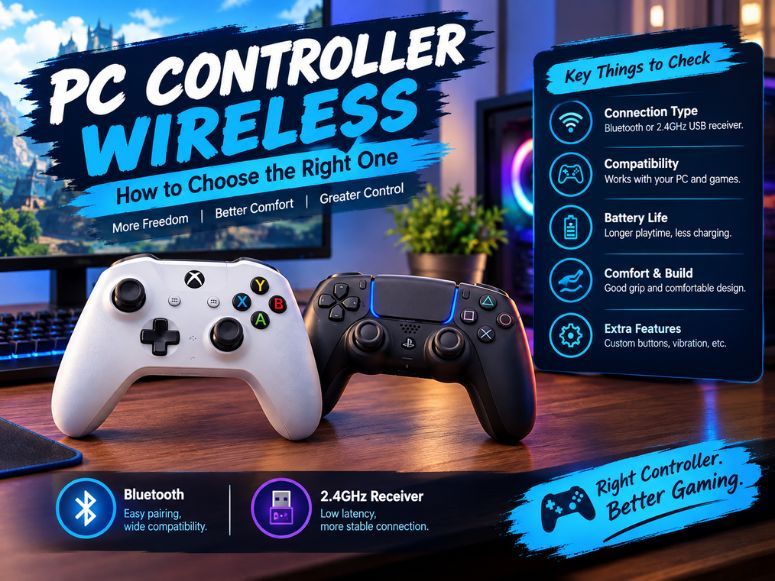
A pc controller wireless option gives you more freedom to play games without sitting close to your computer. Wireless controllers are useful for racing games, platformers, action titles, sports games and many Steam games.
However, not every controller offers the same connection quality, battery life, comfort or compatibility. Some use Bluetooth, while others include a dedicated 2.4GHz USB receiver for connecting to a PC.
Choosing the right wireless PC controller depends on your budget, preferred games and required features. Understanding these differences can help you find a controller that suits your gaming setup.
Best Wireless PC Controllers to Consider
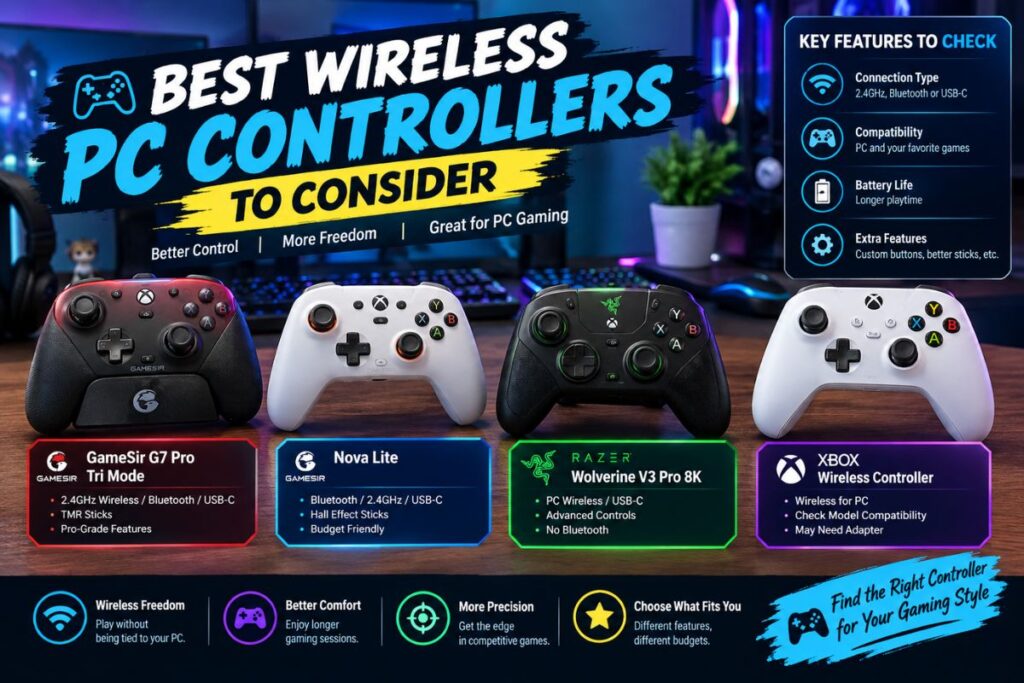
Several wireless controllers are worth considering for different gaming needs. Their features, connection options and prices vary so compare specifications before purchasing.
The GameSir G7 Pro Tri Mode supports 2.4GHz wireless, Bluetooth and USB C connections. Its TMR sticks make it an option for players interested in modern joystick technology and flexible connectivity.
The GameSir Nova Lite is a budget friendly option with Bluetooth, 2.4GHz wireless and USB C connectivity. Its Hall Effect sticks make it worth considering if you want additional stick durability features without choosing a premium controller.
The Razer Wolverine V3 Pro 8K PC targets competitive PC gamers who want advanced controls and a dedicated wireless connection. It supports PC wireless connectivity and USB C, but does not offer Bluetooth connectivity.
The Xbox Wireless Controller is another option for PC gaming. Before buying, check the specific model’s supported connection methods and whether you need a compatible wireless adapter.
Wireless PC Controller Comparison and Buying Guide
Choose a wireless PC controller by comparing connectivity, compatibility, battery life, comfort and price. These features help you find a controller that suits your gaming needs.
The GameSir G7 Pro Tri Mode offers multiple connection options, while the Nova Lite suits budget gamers. The Razer Wolverine V3 Pro 8K PC targets competitive players and the Xbox Wireless Controller is suitable for general PC gaming.
Before buying, check the manufacturer’s specifications for supported connections and device compatibility. If you switch between devices, consider multiple connection options, while casual gamers may prioritize comfort and affordability.
Bluetooth vs. 2.4GHz Wireless Controller
Bluetooth and 2.4GHz wireless are two common ways to connect a controller to a PC. Both remove the need for a permanent cable, but their setup requirements differ.
Bluetooth connects to compatible computers without requiring a dedicated controller receiver. It can be convenient for laptops and PCs with built in Bluetooth, although compatibility and performance depend on the devices and wireless environment.
2.4GHz wireless usually connects through a USB receiver supplied with the controller. This option can provide a straightforward connection for gaming, but you need an available USB port and a compatible receiver.
Neither connection type guarantees zero input lag. Actual responsiveness depends on the controller, connection quality, computer and game.
If you want a simple setup without purchasing a separate adapter, Bluetooth may be suitable. If you prefer a dedicated wireless receiver, consider a controller that supports 2.4GHz connectivity.
PC Controller Compatibility and Setup
Before purchasing a wireless PC controller, confirm that it supports your operating system and preferred games. Many controllers work with Windows, but support can vary between models.
For a wireless controller for Windows 11, check the manufacturer’s compatibility information. Also confirm whether the controller supports Bluetooth, requires a USB receiver or needs additional software.
Steam compatibility is another important consideration. Many PC controllers work with Steam games, but individual games may use different input systems or button layouts.
If you play games outside Steam, check their controller support separately. A controller that connects successfully to Windows may not work perfectly with every game.
Wireless Controller Setup for Beginners
Setting up a wireless controller is usually straightforward when you follow the correct connection method.For Bluetooth, turn on the controller’s pairing mode, open Bluetooth settings on your PC and select the controller when it appears. Follow any on screen instructions to complete pairing.
For a controller with a USB receiver, connect the receiver to an available USB port and turn on the controller. Allow Windows to recognize the device before launching your game.
Some controllers also support USB C wired connections. If wireless pairing fails, testing the controller with a compatible cable can help identify whether the problem is related to wireless connectivity.
Once connected, open your preferred game and check the button layout. Install manufacturer software or firmware updates only when recommended for your model.
Wireless Controller Performance and Features
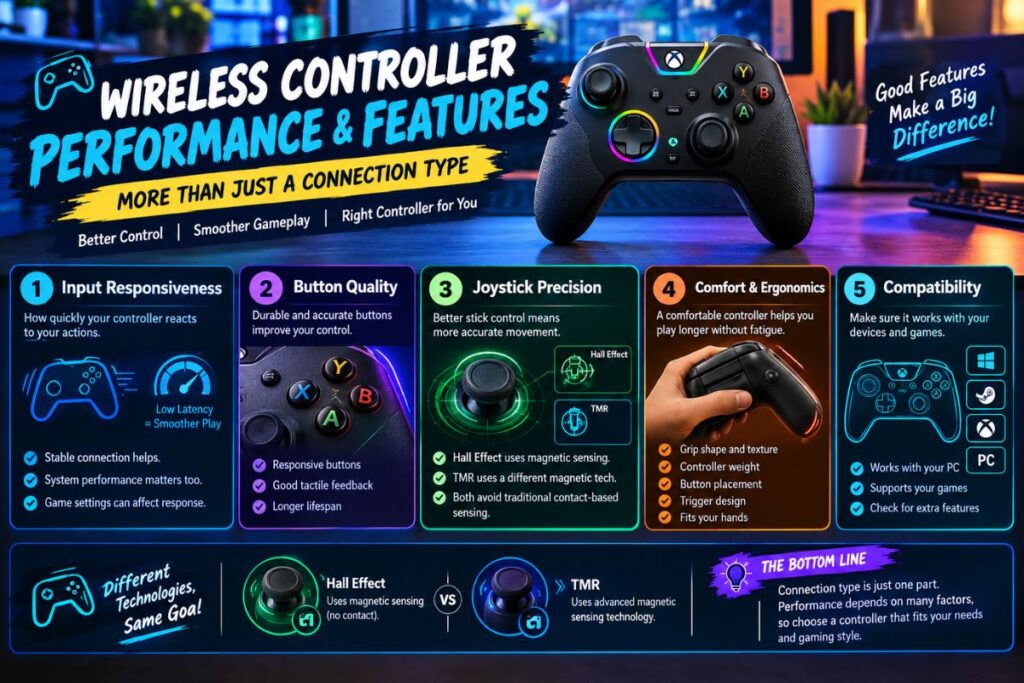
Wireless controller input lag refers to the delay between pressing a control and seeing the action in the game. A stable connection and suitable controller can help provide responsive gameplay, although system performance and game settings also matter.
Hall Effect and TMR joysticks are features worth comparing. Hall Effect sticks use magnetic sensing, while TMR sticks use a different magnetic sensing technology. Both are designed to avoid the traditional contact based sensing used by many conventional joystick designs.
These technologies do not automatically make every controller more accurate. Stick calibration, sensitivity settings, overall build quality and personal preferences also affect performance.
Comfort matters during longer sessions. Consider grip shape, controller weight, button placement, trigger design and whether the controller fits your hands.
Wireless Controller Battery Life
Battery life determines how long you can play before recharging or replacing batteries. Actual usage varies with the controller, battery condition, vibration, lighting and connection method.
Rechargeable controllers may offer built in batteries, while other models use replaceable batteries. Check the manufacturer’s specifications to understand the expected charging method and battery capacity.
If you frequently play for several hours, prioritize a controller with suitable battery life. A USB C charging option can also be useful when you want to recharge between sessions.
Remember that advertised battery estimates may differ from real world results. Read the product specifications carefully instead of assuming every wireless controller lasts the same amount of time.
Budget Wireless PC Controllers and Value Comparison
A budget wireless PC controller can provide the features needed for casual gaming without the cost of a premium model. However, a lower price may mean fewer advanced controls, simpler materials or different connectivity options.
The GameSir Nova Lite is worth considering if you want an affordable controller with multiple connection methods and Hall Effect sticks. Compare its current price with other controllers available in your region.
Mid range models may offer a balance between comfort, connectivity and additional controls. Premium controllers can provide specialized features for competitive players, but those features may not be necessary for everyone.
Before purchasing, compare the total cost, included accessories, warranty, compatibility and return policy. The best value is the controller that meets your requirements rather than the model with the most expensive specifications.
Wireless Controller Pros and Cons
Wireless controllers provide greater freedom of movement and help reduce cable clutter around your gaming setup. They can be convenient for playing from a desk, couch or television.
However, wireless models depend on batteries or charging and some require a dedicated USB receiver. Connection interference, pairing difficulties and compatibility limitations can also affect the experience.
Wired controllers avoid battery concerns and can offer a simpler connection, but the cable limits movement. Your choice should depend on your preferred setup, budget and gaming habits.
Wireless Controller Troubleshooting
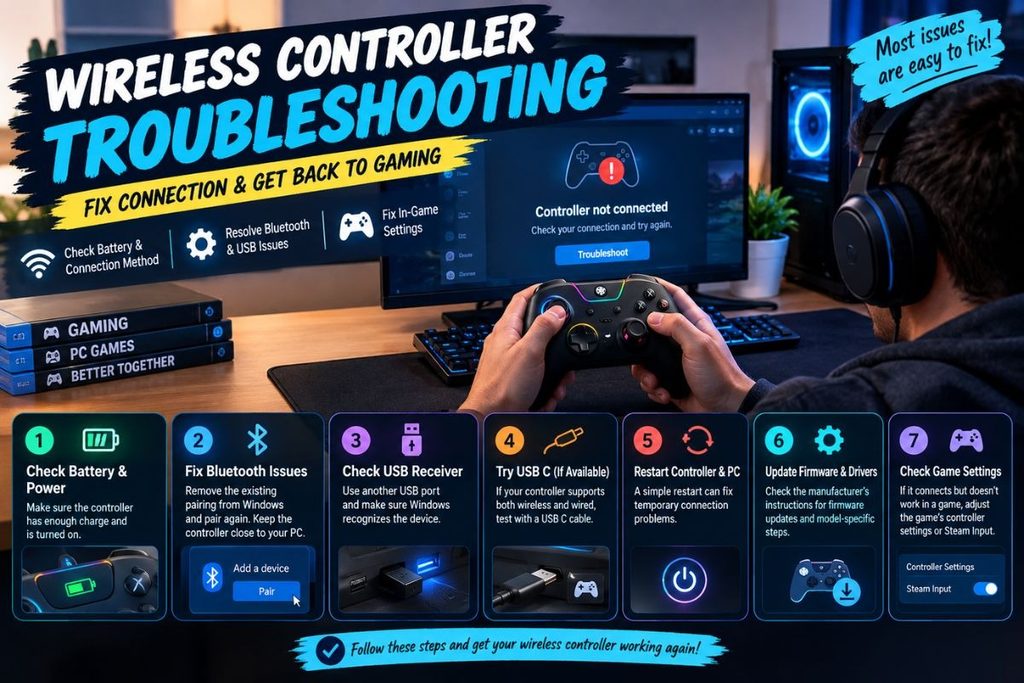
If your wireless controller is not connecting to your PC, start by checking its battery level and connection method. Make sure the controller is powered on and using the correct pairing mode.
For Bluetooth problems, remove the existing pairing from Windows and try pairing the controller again. Keep the controller close to the computer during setup.
For a USB receiver, reconnect it to another available USB port and check whether Windows recognizes the device. If the controller supports both wireless and wired connections, test USB C to help narrow down the issue.
Restarting the controller and PC may resolve temporary connection problems. Check the manufacturer’s instructions for firmware updates, supported drivers and model specific troubleshooting steps.
If the controller connects but does not work in a game, check the game’s controller settings and Steam Input configuration where applicable. Not every connection problem is caused by the controller itself.
Conclusion
Choosing the right pc controller wireless option starts with understanding your gaming needs. Bluetooth, 2.4GHz connectivity, compatibility and battery life are important factors to compare before purchasing.
Budget models can suit casual players, while premium controllers may offer specialized features for competitive gaming. Consider comfort, joystick technology and game support alongside the price.
By comparing specifications and checking Windows compatibility, you can select a wireless PC controller that fits your setup and provides a comfortable gaming experience.
FAQs
Which wireless controller is best for PC gaming?
The best option depends on your budget and requirements. Compare connectivity, comfort, compatibility, battery life and controls before choosing a model.
Is Bluetooth or 2.4GHz better for a wireless PC controller?
Bluetooth is convenient when your PC supports it. A 2.4GHz controller uses a dedicated USB receiver and may suit players who prefer that connection method.
Do wireless PC controllers work with Windows 11?
Many wireless controllers support Windows 11, but compatibility varies. Check the manufacturer’s specifications and required software before purchasing.
Are Hall Effect joysticks better for PC gaming?
Hall Effect joysticks use magnetic sensing and can help reduce problems associated with traditional contact based sensing. Overall performance still depends on controller quality and calibration.