
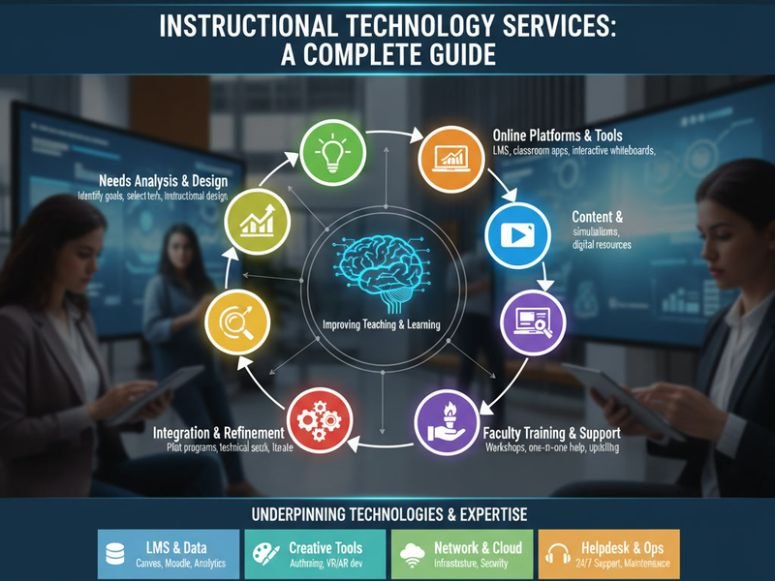
Instructional technology services help educators and institutions use technology to improve teaching and learning. They include online learning platforms, classroom tools, instructional design, faculty training, multimedia resources and technical support.
Their purpose is not simply to introduce digital tools into education. They help educators select suitable technologies, integrate them into lessons and create learning experiences that match students’ needs and course objectives.
Understanding instructional technology services helps schools and universities decide which support they need, how to use educational technology effectively and how to evaluate whether these tools improve teaching and learning.
Explore more technology-related topics and digital resources on Pepper0
What Are Instructional Technology Services?
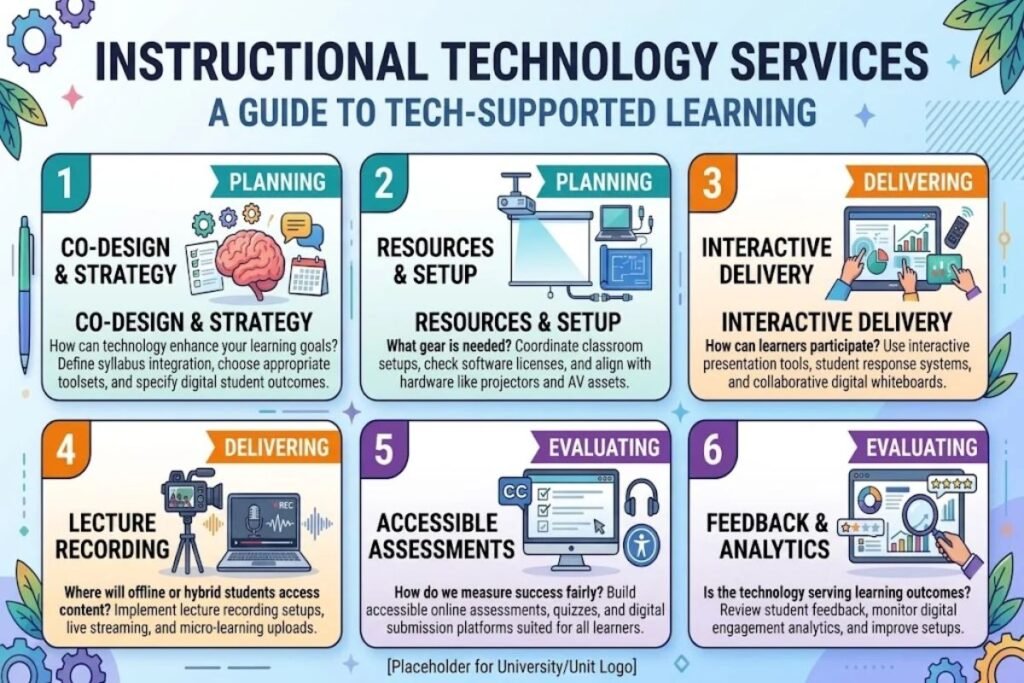
Instructional technology services help educators plan, deliver and evaluate technology supported learning. They may be provided by school technology departments, university instructional teams or educational support organizations.
Services can cover hardware software, online course development, learning management systems, classroom equipment and digital assessment tools. The exact support available depends on the institution and its educational goals.
Teachers creating online courses may need help organizing materials, recording lectures and developing accessible assessments. Classroom instructors may need support with projectors, microphones, presentation systems and interactive learning tools.
What Services Do Instructional Technology Departments Provide?
Instructional technology departments often combine technical assistance with guidance on teaching methods. Their work may include helping instructors select software, troubleshoot classroom equipment, develop digital learning materials and use technology to support learning objectives.
Some departments also provide consultations, workshops, tutorials and ongoing support for online and hybrid courses. Students may receive assistance with approved learning platforms or other digital tools used in their courses.
These services help institutions use technology more consistently while giving educators support when introducing new tools or changing existing teaching methods.
What Types of Instructional Technology Services Are Available?
Instructional technology services can be divided into several categories. Each category addresses different teaching requirements so institutions should choose support according to the learning environment and the problems they need to solve.
1. Learning Management System Support
A learning management system (LMS) provides a digital environment for organizing and delivering course materials. Depending on the platform, instructors can share resources, collect assignments, communicate with students and manage assessments.
Learning management system support helps teachers set up courses organize modules, manage permissions, troubleshoot problems and use available features effectively. It can also help educators structure online learning activities so students understand what to do and when to complete it.
For example, an instructor may receive assistance with creating course sections, uploading lecture materials, setting assignment deadlines or configuring a quiz. The goal is to make course delivery easier to manage and clearer for students.
2. Classroom Technology Services
Classroom technology services help instructors use the equipment available in physical teaching spaces. This may include projectors, interactive displays, document cameras, microphones, speakers, computers and video conferencing systems.
Support may involve equipment setup, troubleshooting, classroom orientation and guidance on using audiovisual controls. Some institutions also provide equipment checkout for instructors who need recording devices or portable presentation tools.
These services are particularly useful when an instructor needs to display digital content, facilitate group activities or connect remote participants with an in person class.
3. Instructional Design Services
Instructional design services help educators organize learning experiences around specific objectives. Instructional designers may assist with course structure, learning activities, assessments, content organization and accessibility.
For example, an instructor developing an online course might divide a large topic into manageable modules. Each module could include a short lesson, a practical activity and an assessment that checks students’ understanding.
Instructional design focuses on how students learn, rather than simply which technology is available. A digital tool is useful when it supports the learning objective and fits the needs of the intended students.
4. Faculty Technology Training
Faculty technology training helps teachers develop the skills needed to use educational software and classroom equipment. Training may be delivered through workshops, individual consultations, recorded tutorials or self paced online resources.
Topics can include LMS navigation, online assessment, lecture recording, classroom presentations, digital collaboration and accessible document creation. Training may also explain how to use a tool as part of a teaching strategy.
Effective training gives instructors opportunities to practise tasks and ask questions. Follow up resources are valuable because teachers may need additional guidance when applying a tool to their own courses.
5. Lecture Recording and Multimedia Services
Lecture recording services help educators create videos that students can watch during or after a course. Depending on available facilities, recordings may include spoken explanations, presentation slides, screen demonstrations or classroom footage.
Multimedia learning services can also support the creation of instructional videos, audio materials, demonstrations and other digital resources. These materials can help students review difficult concepts at their own pace.
Recorded content still needs careful planning. Clear audio, readable visuals, accurate captions and organized explanations help make learning materials more useful and accessible.
6. Online Learning and Virtual Classroom Support
Online learning support services help instructors deliver courses through digital platforms. They may include assistance with video conferencing, online discussions, course navigation, digital activities and virtual classroom setup.
Virtual classroom technology allows teachers and students to interact remotely through features such as audio, video, chat and screen sharing. The available features depend on the platform being used.
Institutions may also help educators plan participation activities and alternative ways for students to access course content when they cannot attend a live session.
7. Digital Assessment and Learning Analytics
Digital assessment tools support quizzes, assignments, feedback and other forms of online evaluation. Depending on the platform, instructors may be able to grade work, provide feedback and review student submissions electronically.
Learning analytics services help educators examine available information about participation, assessment performance and course activity. These insights may highlight where students are struggling or where course materials need improvement.
Analytics should be interpreted carefully. A student’s activity level does not automatically demonstrate understanding and institutions should protect student information when collecting or reviewing learning data.
How Do Instructional Technology Services Improve Teaching and Learning?
Instructional technology services can help educators organize course materials, provide different ways to access information and use digital tools to support classroom activities.
For example, a teacher may combine a short video, a reading assignment and an online quiz to help students study a topic. Students can review the materials and receive feedback through the institution’s learning platform.
Technology can also support collaboration through shared documents, discussion spaces and virtual meetings. However, engagement depends on how activities are designed and how well they match the students’ needs.
Instructional technology does not automatically improve learning outcomes. Its effectiveness depends on the quality of teaching, accessibility of resources, reliability of the tools and students’ opportunities to participate.
How Do Instructional Technology Services Support Online and Hybrid Learning?
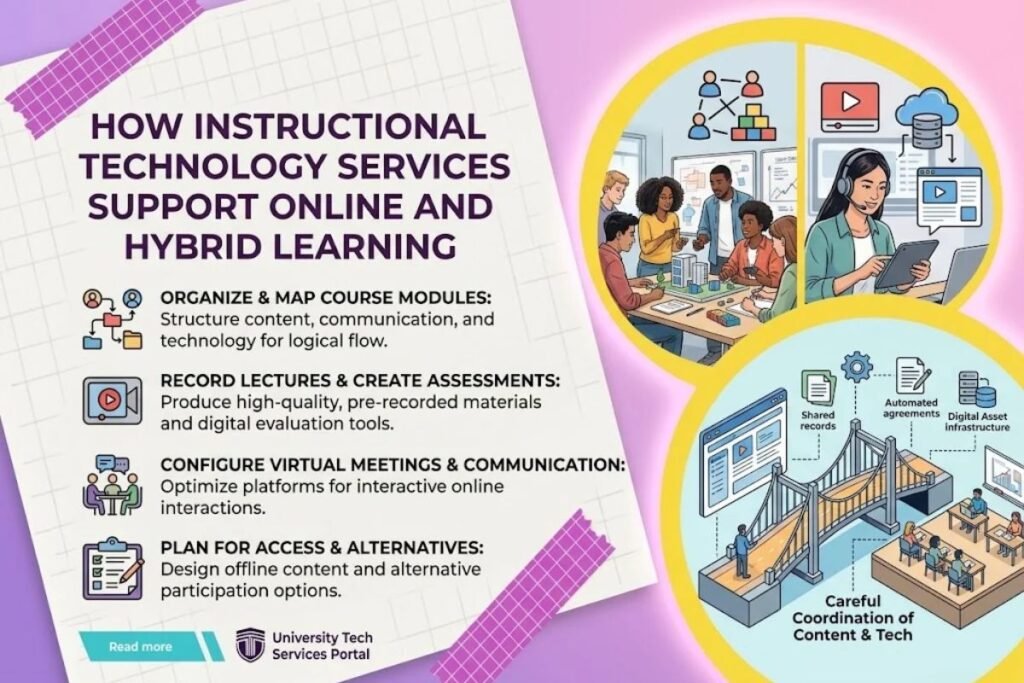
Online learning takes place through digital environments, while hybrid learning combines online activities with in person instruction. Both formats require careful coordination between course content, communication, assessments and technology.
Instructional technology services can help teachers organize online course modules, record lectures, configure virtual meetings and create assessments. They may also advise instructors on how to divide learning activities between classroom sessions and independent study.
For example, students might review a recorded explanation before class and then complete a collaborative activity during an in person session. The online material prepares students for the classroom task rather than simply repeating the same content.
Institutions should also plan for technical interruptions and different levels of student access. Downloadable resources, clear instructions and alternative participation options can help reduce avoidable barriers.
How Can Teachers Choose the Right Instructional Technology Tools?
Choosing educational technology begins with identifying the learning objective. Teachers should determine what students need to understand or practise before selecting a platform, application or piece of classroom equipment.
The following factors can help guide the decision.
Learning goals: Choose tools that support a specific educational activity, such as discussion, assessment, demonstration or collaboration.
Ease of use: Consider whether teachers and students can learn the tool without unnecessary complexity. A tool that is difficult to operate may distract from the lesson.
Accessibility: Check whether the technology supports students with different learning needs, including those who use assistive technologies.
Compatibility: Confirm that the tool works with existing systems, devices and course platforms. Integration problems can create additional work for instructors.
Cost and support: Review licensing, maintenance, training, technical assistance and any additional equipment requirements.
Privacy and security: Understand what student information the tool collects, who can access it and how that information is stored and managed.
A small pilot can help teachers test a tool before using it across an entire course. Feedback from instructors and students can reveal usability problems that were not obvious during the initial selection process.
How Do Instructional Technology Services Support Accessibility?
Accessibility helps ensure that students can use educational content and tools despite differences in their abilities, devices or learning requirements.
Instructional technology services may help instructors create accessible documents, add captions to videos, provide text alternatives for meaningful images and check whether digital course materials work with assistive technologies.
For example, captions can make recorded lectures more accessible to students who are deaf or hard of hearing. Well structured headings and readable document formats can also help students navigate course materials more easily.
Institutions should evaluate accessibility before adopting new tools rather than waiting for students to report problems. They should also provide appropriate alternative formats or support when a platform creates a barrier.
What Challenges Do Instructional Technology Services Face?
Instructional technology services can face several challenges when supporting teachers and students. Common issues include limited budgets, inconsistent access to devices, staff training needs software compatibility and concerns about student data.
Cost and maintenance: Institutions must consider the ongoing expenses of software, equipment, technical support and upgrades. Purchasing a tool without planning for maintenance can create future difficulties.
Training and adoption: Teachers may have different levels of technical experience. Training should match their needs and provide practical opportunities to use the tools.
Access and connectivity: Students may not have reliable internet access or suitable devices. Institutions should consider these differences when requiring online activities.
Privacy and security: Educational platforms may handle personal information, coursework and assessment records. Institutions should review permissions, data collection and applicable privacy requirements.
System compatibility: Tools that do not work well with existing platforms may create duplicate tasks or make course management more complicated.
Instructional technology teams can address these challenges through clear policies, early consultation, regular training and careful evaluation before new systems are introduced.
How Can Institutions Evaluate Instructional Technology Services?
Institutions should evaluate instructional technology services according to their intended purpose. A service designed to improve course accessibility needs different measures from one intended to reduce classroom equipment problems.
Useful evaluation methods include reviewing support requests, collecting teacher and student feedback, examining participation in training and checking whether technical problems are resolved effectively.
Learning outcomes should also be considered where suitable evidence is available. For example, an institution might compare student performance before and after a course redesign, while recognizing that other factors may influence the results.
A practical evaluation process includes four steps: define the objective, establish a baseline, collect relevant evidence and use the findings to improve the service. Institutions should avoid assuming that greater technology use automatically means better learning.
What Is the Future of Instructional Technology Services?
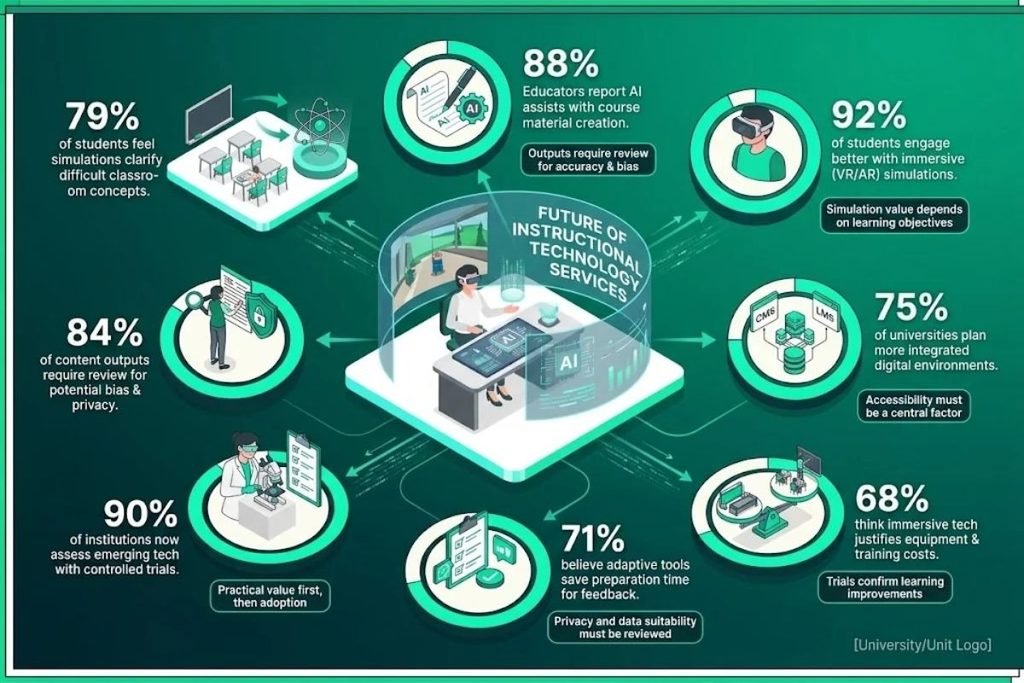
Instructional technology services will continue to respond to changes in educational tools and teaching practices. Areas of development include AI assisted learning, interactive simulations, virtual and augmented reality and more integrated digital learning environments.
AI assisted tools may help educators prepare learning materials, generate initial feedback or organize course information. Their outputs still require review for accuracy, suitability, privacy and potential bias.
Simulations and immersive technologies may support learning activities that are difficult to demonstrate in a conventional classroom. Their value depends on whether they improve understanding enough to justify the cost, equipment and training required.
Institutions should assess emerging technologies through controlled trials and clear learning objectives. Practical value, accessibility, privacy and ongoing support should remain central to adoption decisions.
Conclusion
Instructional technology services help educators use digital tools, classroom equipment and learning platforms to support teaching and learning. Their work may include instructional design, faculty training, online course support, multimedia production and digital assessment.
Effective services require more than technical assistance. Institutions must also consider accessibility, privacy, staff training, costs and the learning objectives behind each technology choice.
The best instructional technology services focus on practical educational needs and measurable results. By selecting suitable tools, supporting educators and reviewing outcomes, institutions can make more informed decisions about technology supported learning.
FAQs
What are instructional technology services?
Instructional technology services help educators use technology to plan, deliver and evaluate learning. They may include instructional design, LMS support, faculty training, classroom equipment, multimedia and online learning assistance.
What is the difference between instructional technology and educational technology?
The terms overlap considerably. Educational technology broadly refers to technology used in education, while instructional technology often emphasizes designing, delivering and evaluating teaching and learning experiences.
What tools are used in instructional technology services?
Tools may include learning management systems, video conferencing platforms, lecture recording software, digital assessment applications, presentation equipment and multimedia tools.
How do instructional technology services support faculty development?
They may offer workshops, individual consultations, tutorials, course design assistance and practical training. These services help teachers use technology appropriately and develop digital teaching skills.
How can institutions measure the effectiveness of instructional technology services?
Institutions can review support requests, training participation, user feedback, accessibility, technical reliability and relevant learning outcomes. Measures should match the purpose of each service rather than relying on technology usage alone.

