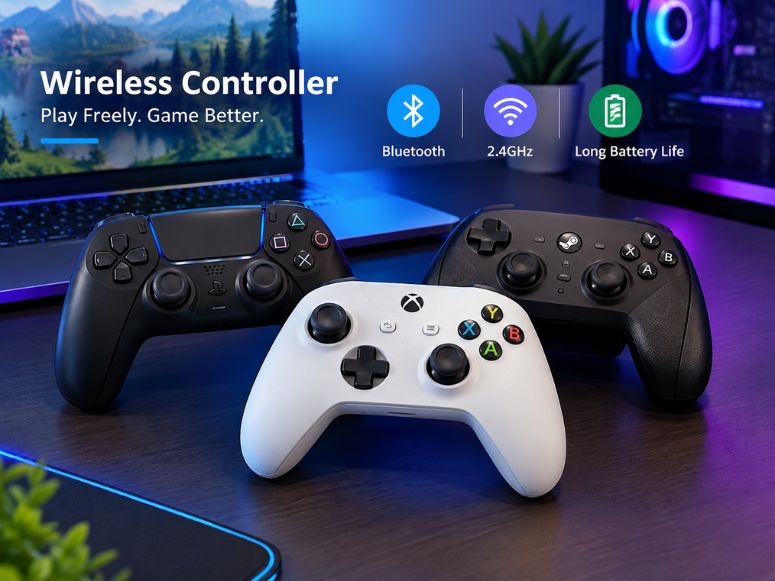
A wireless controller lets you play games without connecting the controller directly to your device with a cable. Most modern models use Bluetooth or a 2.4GHz wireless connection.
For PC gaming, a wireless gaming controller can provide comfortable controls, less cable clutter and flexible positioning. However, connection type, latency, battery life, compatibility and controller features all matter.
This guide explains how wireless controllers work, how to connect them to a PC, the difference between Bluetooth and 2.4GHz and which features are useful for different types of games.
What Is a Wireless Controller?
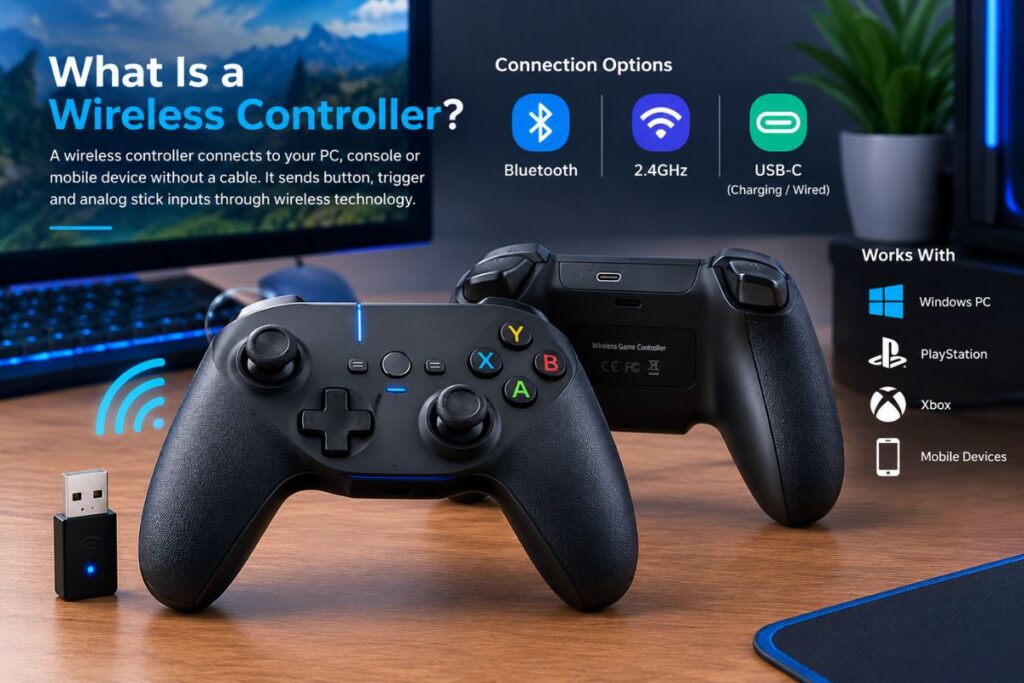
A wireless controller is a gaming controller that communicates with a PC, console or mobile device without a permanent wired connection. It sends button, trigger and analog stick inputs through wireless technology.
A wireless game controller may use Bluetooth, a 2.4GHz wireless connection or another proprietary wireless system. Some models also include a wired USB C connection for charging or direct gameplay.
For PC users, a PC wireless controller can work with Windows and games that support standard controller input. Compatibility should still be checked before buying.
How Does a Wireless Gaming Controller Work?
A wireless gaming controller contains internal electronics that detect button presses, trigger movement and analog stick movement. It then sends this information to the connected device.
Bluetooth controllers communicate directly with compatible Bluetooth hardware. A 2.4GHz wireless controller usually communicates through a USB wireless receiver or USB dongle connected to the PC.
The controller needs power from a rechargeable battery or replaceable batteries. Wireless technology allows you to sit farther from the PC without running a long controller cable across your desk or room.
Bluetooth vs 2.4GHz: What Is the Difference?
Bluetooth and 2.4GHz are common wireless PC controller connections. Bluetooth usually needs no USB receiver when the PC has built in Bluetooth, making it convenient for compatible laptops and desktops.
A 2.4GHz wireless controller normally uses a dedicated USB receiver. The receiver creates a direct wireless connection between the controller and PC.
The practical difference can depend on the controller and its implementation. A good 2.4GHz connection can offer low latency and a stable connection, while Bluetooth provides convenient pairing without requiring a separate dongle.
Is 2.4GHz Better Than Bluetooth for Gaming?
There is no universal answer because performance depends on the controller, receiver, Bluetooth hardware software and surrounding wireless interference.
For gaming, 2.4GHz can be useful when you want a dedicated connection and low latency. Bluetooth can be more convenient when you frequently switch between compatible devices.
If you mainly use a wireless controller for PC gaming, check the controller’s supported connection modes and whether its USB receiver is included.
What Is the Best Wireless Controller for PC?
The best wireless controller depends on how you play. Look for reliable connectivity, comfortable ergonomics, responsive controls, compatible devices and enough battery life for your gaming sessions.
Competitive players may prioritize low latency, precise analog sticks, trigger locks and a high polling rate. Casual players may prefer simple Bluetooth connectivity, comfortable grips and a rechargeable battery.
For Windows users, always verify Windows compatibility and whether the controller works correctly with the games and platforms you use.
Is a Wireless Controller Good for PC Gaming?
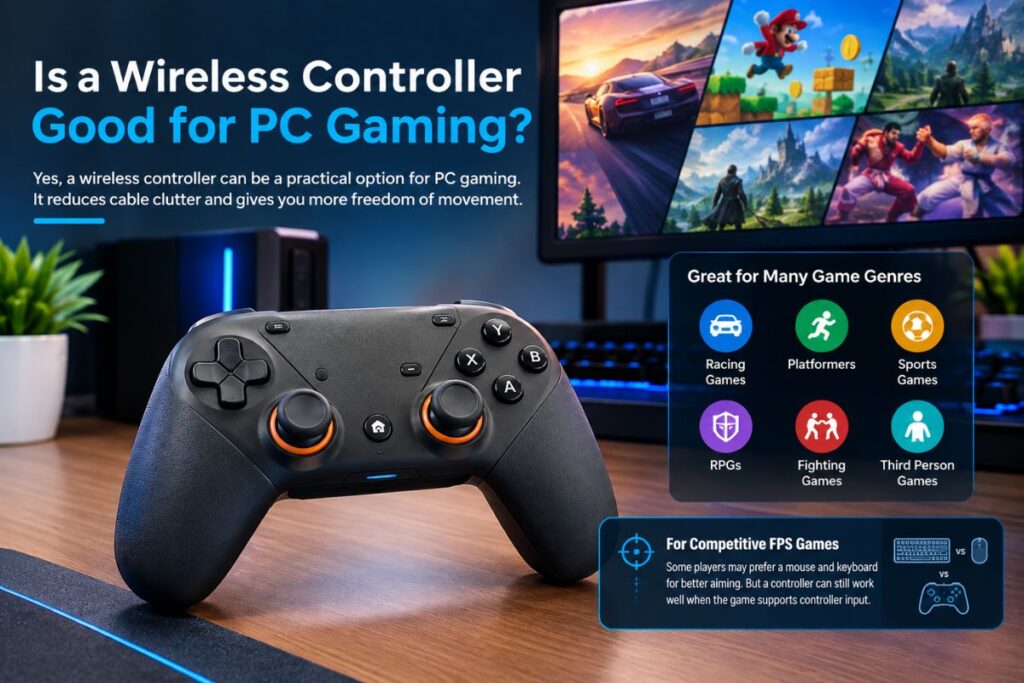
Yes, a wireless controller can be a practical option for PC gaming. It can reduce cable clutter and provide more freedom of movement.
A PC gaming controller is particularly useful for racing games, platformers, sports games, RPGs, fighting games and many third person games. Wireless controllers are also versatile enough to work with lightweight unblocked browser games that support gamepad inputs.
For competitive FPS games some players may prefer a mouse and keyboard because of their aiming characteristics. However, a gaming controller can still be suitable when a game supports controller input effectively.
How to Connect a Wireless Controller to PC?
The connection method depends on whether you are using Bluetooth or a USB wireless receiver.For Bluetooth, put the controller into pairing mode, open the Bluetooth settings in Windows and select the controller from the available devices.
For a 2.4GHz wireless controller, connect the USB wireless receiver to the PC and turn on the controller. Many controllers pair automatically with their receiver.
Some controllers can also be connected through a wired USB C connection. This can be useful when the battery is low or when you want to avoid wireless connectivity.
Can a Wireless Controller Work With Windows?
Many modern wireless controllers support Windows, but compatibility varies by model.Before buying a Windows gaming controller, check whether Windows is officially supported and whether the required drivers software or receiver are included.
You should also check the controller’s button layout and supported input standard because some games may recognize certain controllers more easily than others.
Can You Use a Wireless Controller on Steam?
Yes, many wireless controllers can be used with Steam. Steam also provides controller configuration features that can help users configure supported devices for compatible games.
A Steam controller does not necessarily mean a specific type of hardware. The important factor is whether the controller is recognized correctly and whether Steam Input supports the device.
If a controller is connected but does not work correctly in a particular game, check the game’s controller settings and Steam’s controller configuration options.
Wireless vs Wired Controllers
A wired controller connects directly through a cable, while a wireless controller communicates without a permanent physical connection.
Wireless models provide greater freedom and reduce cable clutter. Their main considerations are battery charging, wireless interference, pairing and possible connection issues.
Wired controllers do not need battery charging and can provide a simple plug and play setup. A wireless model with a wired USB C option can provide both connection methods.
Does a Wireless Controller Have Input Lag?
A wireless controller can have input latency, but the amount depends on the controller, connection technology, receiver software and environment.
For most casual gaming, small differences may not be noticeable. Competitive gaming can make responsiveness more important.
When comparing a compatible gaming controller, look for reliable connection technology, low latency performance and a suitable polling rate rather than judging performance only from the word “wireless.”
What Is Controller Polling Rate?
Polling rate is how often a controller reports input data to the connected device. A higher rate can reduce reporting delay, but responsiveness also depends on wireless technology, firmware, connection stability and game processing.
Therefore, polling rate should be considered alongside latency and connection quality rather than treated as the only performance measurement.
What Is Hall Effect in a Controller?
Hall Effect technology uses magnetic sensing to detect the position of an analog stick or trigger.Hall Effect joysticks can reduce the physical contact associated with traditional potentiometer based stick sensing.
This can help with durability and may reduce the conditions that contribute to traditional stick drift.Some modern controllers also use Hall Effect triggers for more consistent sensing.
What Are TMR Joysticks?
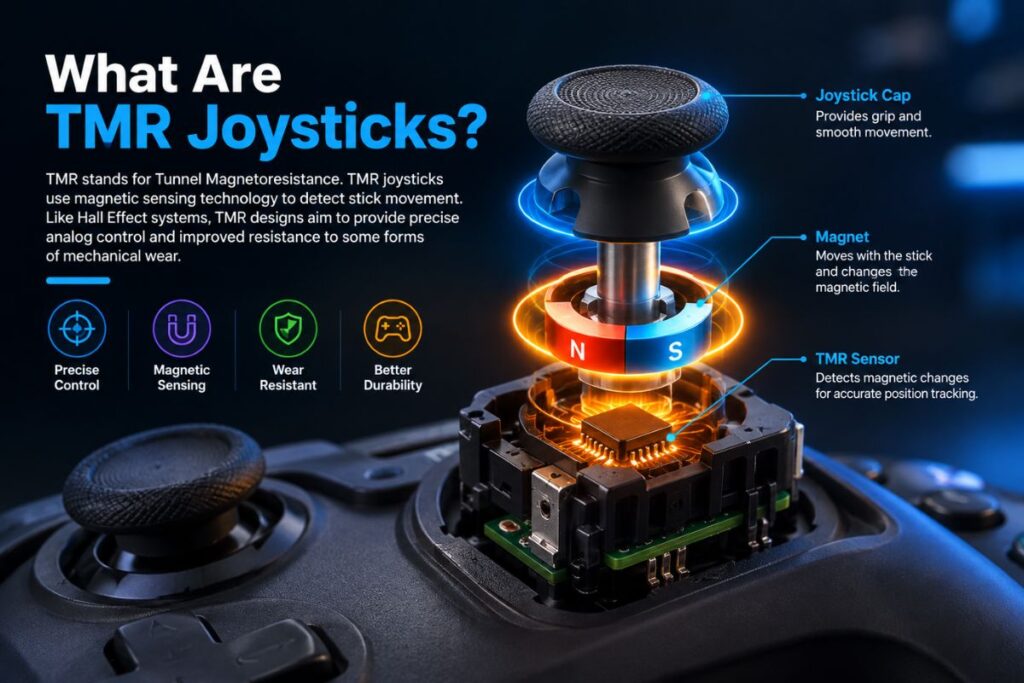
TMR stands for Tunnel Magnetoresistance. TMR joysticks use magnetic sensing technology to detect stick movement.Like Hall Effect systems, TMR designs aim to provide precise analog control and improved resistance to some forms of mechanical wear.
If durability and precision are important to you, comparing Hall Effect and TMR technology can be useful when choosing a modern wireless gamepad.
Do Hall Effect Sticks Prevent Stick Drift?
Hall Effect sticks can reduce the risk associated with traditional potentiometer wear, but no controller technology should automatically be considered completely immune to every type of stick problem.
Physical damage, calibration issues, debris, firmware problems and other components can still affect analog controls.For buyers concerned about long term durability, Hall Effect or TMR technology is worth considering alongside build quality and warranty coverage.
What Features Should You Look for in a Wireless Controller?
The most useful features depend on your gaming style. Important specifications can include wireless connectivity, battery life, ergonomic design, textured grip, responsive buttons, analog stick quality and platform compatibility.
Some controllers include remappable buttons, programmable buttons, back buttons, trigger locks, turbo functions, RGB lighting, motion control or a headphone jack.
For long gaming sessions, weight and grip comfort are just as important as technical specifications. Pairing your controller with budget friendly audio gear like the A10 gaming headset creates a complete and comfortable desk setup
Are Remappable Buttons Useful?
Remappable buttons allow you to assign different commands to selected buttons. They can be useful when a game requires frequent access to specific controls.
Back buttons let players access extra commands without removing their thumbs from the analog sticks. Trigger locks can reduce trigger travel, while both features offer added customization for players who need them.
Wireless Controller Battery Life and Charging
Battery life determines how long a rechargeable wireless controller can be used before charging.Look for information about battery capacity, expected battery life, charging time and whether the controller supports a charging dock or standard charging cable.
A rechargeable wireless controller with USB C charging can be convenient because you can continue using the controller with a wired connection while charging on supported models.
Which Wireless Controller Is Best for Different Games?
Different genres can benefit from different controller characteristics.For FPS games, precise analog sticks, low latency, responsive triggers and back buttons can be useful.For racing games, accurate analog controls, comfortable triggers and a strong grip can improve control.
For competitive arcade and fighting titles like Dragon Ball FighterZ on PC, a wireless controller with low input lag responsive face buttons and a precise D pad is essential for executing smooth combo strings.
What Wireless Controller Works With PC and Console?
Some multiplatform controllers support Windows PC along with platforms such as Nintendo Switch android, iOS or specific consoles.
However, compatibility is not automatically the same across every platform. A controller may support different connection methods or features depending on the device.
Before buying a multiplatform controller, check the manufacturer’s compatibility list and confirm whether the required USB dongle, Bluetooth support or cable is included.
How to Fix Wireless Controller Connection Problems
If your wireless controller is not connecting to a PC, first check whether the controller has enough battery power.For Bluetooth connections, remove the existing pairing and try pairing the controller again. Make sure Bluetooth is enabled on Windows.
For a 2.4GHz controller, reconnect the USB receiver and check that it is properly detected by the PC.If the controller connects but has input problems, check for firmware updates, driver issues, wireless interference and game specific controller settings.
What Is the Best Budget Wireless Controller?
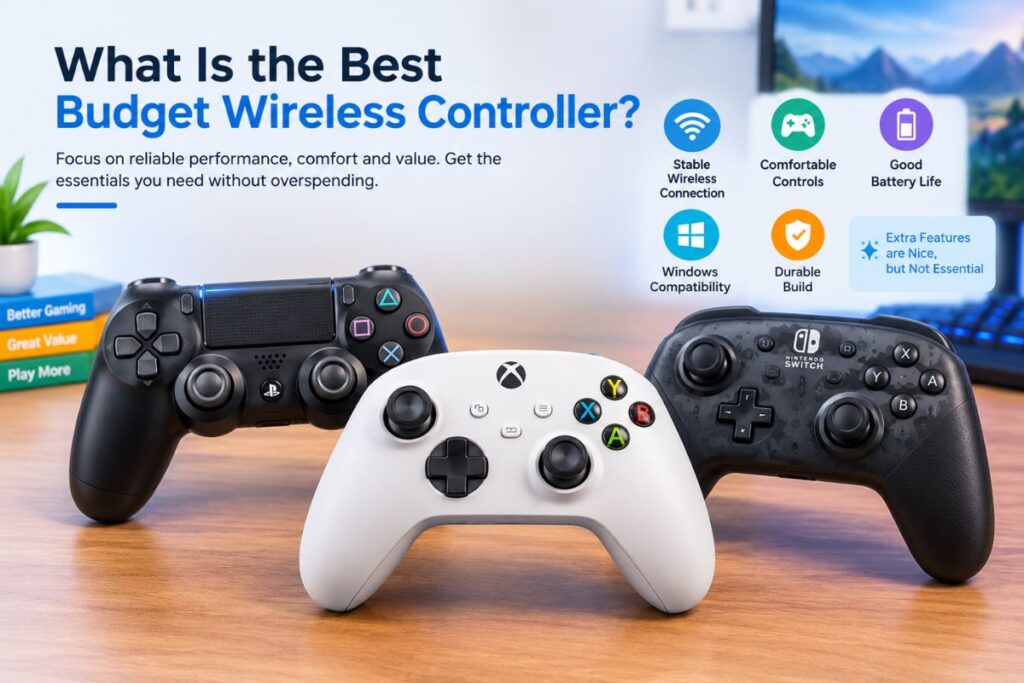
A budget wireless controller should focus on reliable basic functions rather than simply offering the largest number of features.Look for stable wireless connectivity, comfortable controls, reasonable battery life, Windows compatibility and a durable build.
Extra features such as RGB lighting or additional buttons can be useful, but they should not replace the fundamentals of reliable connection and good controls.
Conclusion
A wireless controller can provide a convenient and comfortable way to play PC games without dealing with a permanent cable connection. Bluetooth and 2.4GHz models both have practical advantages depending on your setup.
When choosing a controller, consider compatibility, latency, battery life, ergonomics, connection type and the features you actually need. Hall Effect and TMR technology can also be useful considerations for players focused on analog control durability.
The right wireless gamepad ultimately depends on your games, devices, budget and personal preferences. Checking these factors before buying can help you choose a controller that fits your gaming setup.
FAQs
What is a wireless gaming controller?
A wireless gaming controller is a gamepad that communicates with a PC, console or mobile device without a permanent wired connection. Common technologies include Bluetooth and 2.4GHz wireless connectivity.
What is the best wireless controller for PC?
The best wireless controller for PC depends on your games, budget, preferred connection type, comfort requirements, battery needs and desired features.
How do I connect a Bluetooth controller to PC?
Enable Bluetooth in Windows, put the controller into pairing mode and select it from the available Bluetooth devices. Follow the controller manufacturer’s pairing instructions if additional steps are required.
Is 2.4GHz better than Bluetooth for gaming?
Both can work well. A 2.4GHz connection can provide a dedicated low latency connection, while Bluetooth is convenient because it does not always require a separate USB receiver.
What are Hall Effect and TMR joysticks?
Hall Effect and TMR joysticks use magnetic sensing to detect analog stick movement. They are designed to provide precise control and reduce some forms of mechanical wear associated with traditional stick technology.