Unblocked Fortnite refers to ways people try to access Fortnite or similar games on networks where gaming websites may be restricted. However, not every website advertising Fortnite Unblocked provides the original Fortnite Battle Royale game.
The official game can be played through supported devices and cloud gaming services. Some services let players stream Fortnite through a web browser without downloading the complete game to their device.
Before choosing a website, understand the difference between official Fortnite, cloud streaming and unofficial browser games. This helps you find a suitable option while protecting your device, personal information and gaming account.
What Does Unblocked Fortnite Mean?
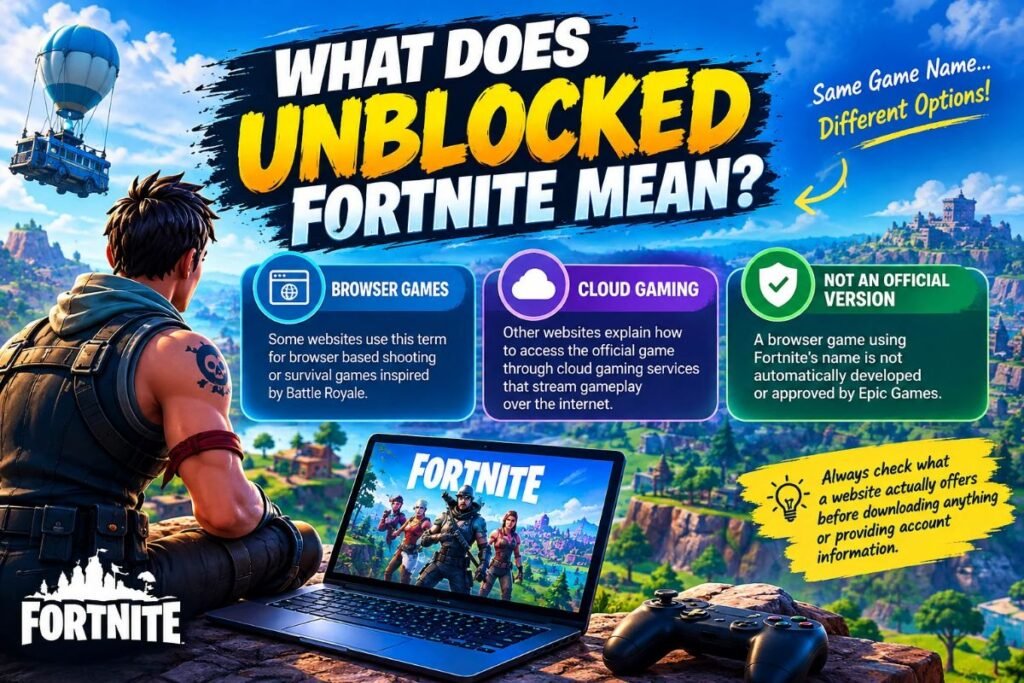
Unblocked Fortnite is a search term used by people looking for ways to play Fortnite when access is restricted on a school, workplace or other network. It does not identify a separate official version of Fortnite.
Some websites use this term for browser based shooting or survival games inspired by Battle Royale. Other websites explain how to access the official game through cloud gaming services that stream gameplay over the internet.
These options are different. A browser game using Fortnite’s name is not automatically developed or approved by Epic Games. Players should check what a website actually offers before downloading anything or providing account information.
For more gaming guides, helpful tips and online gaming information, visit the Pepper0 homepage to explore more content.
What Is the Difference Between Official Fortnite and Browser Clones?
Official Fortnite is developed and published by Epic Games. Players access it through supported platforms or compatible cloud gaming services.
Browser clones are separate games that may copy some Battle Royale concepts, such as collecting equipment, moving around a map or competing against other players. They do not automatically include Fortnite’s official characters, content, multiplayer systems or account features.
A website’s title alone cannot prove that it offers the original game. Check the developer, website address and available information before playing.
Can You Play Fortnite in a Web Browser?
Yes, Fortnite can be accessed through supported cloud gaming services that allow compatible devices to stream the game in a browser. This makes it possible to play without installing the complete PC game locally.
Cloud gaming runs the game on remote hardware and sends the video and audio to your device. Your inputs are transmitted back to the service, allowing you to control the game through an internet connection.
Epic Games has listed services such as NVIDIA GeForce NOW, Xbox Cloud Gaming and Amazon Luna as ways to access Fortnite. Availability depends on your country, device, provider and the service’s current requirements.
Cloud streaming does not guarantee access on every network. A school or workplace may restrict gaming websites or streaming services and those restrictions should be respected.
Cloud gaming lets players stream games without installing them locally on every device. Learn more about cloud gaming and how it works across compatible devices.
How to Play Fortnite Online Without Downloading It
If you want to play Fortnite without installing the full game, start by checking which official cloud gaming services are available in your region.
Visit the provider’s official website and review its device compatibility, account requirements and available Fortnite access options. You may need to sign in or create an account before launching the game.
Follow the provider’s instructions to start Fortnite. Connect your Epic Games account only through the legitimate sign in process when required and use the supported controls for your device.
Remember that playing without a full download does not mean playing without requirements. Cloud gaming still needs a compatible browser or application, reliable internet access and any account or subscription arrangements required by the chosen service.
Can You Play Fortnite on a Chromebook?
Yes, compatible Chromebooks may access Fortnite through supported cloud gaming services. This can be useful because Chromebooks generally use a different software environment from Windows gaming PCs.
Cloud gaming allows the remote service to run the game while the Chromebook displays the streamed session. This means the device does not need to run the complete PC version locally.
However, not every Chromebook or browser setup will provide the same experience. Browser compatibility, internet quality, regional service availability and input support can affect whether Fortnite works properly.
Before starting, check the cloud gaming provider’s current Chromebook requirements. If you are using a school managed Chromebook, the administrator may restrict installations, websites or gaming services.
Is Unblocked Fortnite Safe to Play?
Not every website advertising unblocked games is trustworthy. Some may display misleading download buttons, excessive advertisements, suspicious pop ups or links to files unrelated to Fortnite.
Avoid websites that ask for your Epic Games password outside an official sign in process. Never install unfamiliar applications or browser extensions simply because a page promises free access to the game.
Use official Fortnite downloads or recognized cloud gaming providers whenever possible. Check the website address carefully and do not assume that a professional looking design proves a service is legitimate.
If you are using a school or workplace computer, follow its acceptable use policies. Trying to bypass network restrictions may violate local rules or result in access being restricted further.
How Can You Identify an Unsafe Fortnite Website?
Be cautious when a website promises instant access but provides little information about its developer or how the game works. Unexpected downloads and requests for sensitive information are additional warning signs.
Avoid entering account credentials on unfamiliar pages. A legitimate gaming service should explain its sign in process and provide clear information about the service being offered.
If a page redirects repeatedly, triggers suspicious downloads or asks you to disable security features, leave the website. Choosing a recognized provider is safer than risking your account or device on an unknown service.
What Are the Controls for Fortnite Unblocked?
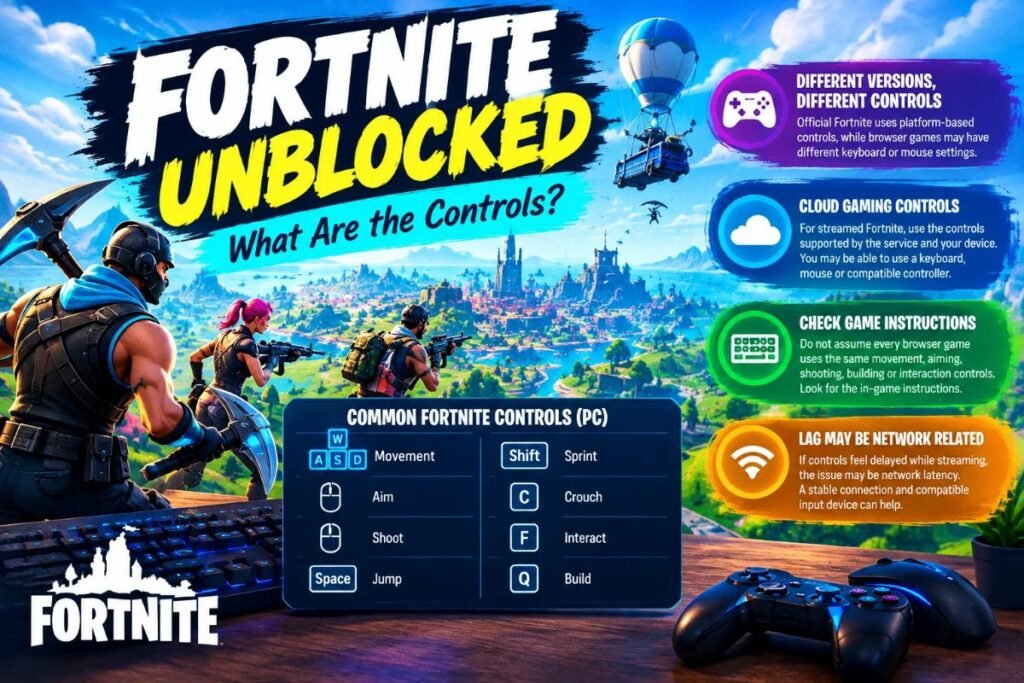
Controls depend on the version you are playing. Official Fortnite uses controls based on the selected platform and input method, while third party browser games may have entirely different keyboard or mouse settings.
For cloud streamed Fortnite, use the controls supported by the service and your device. Depending on the setup, you may be able to use a keyboard, mouse or compatible controller.
A comfortable gaming setup can also include reliable audio equipment. Explore these durable gaming headphones when comparing options for gaming sessions.
Do not assume that every browser game uses the same movement, aiming, shooting, building or interaction controls. Check the instructions displayed by the specific game before starting.
If controls feel delayed while streaming, the cause may be network latency rather than the game’s settings. A stable connection and compatible input device can help improve the experience.
Does Fortnite Require a Gaming PC?
No, a dedicated gaming PC is not the only way to access Fortnite. Supported consoles, compatible mobile devices and cloud gaming services can provide other options, depending on regional availability and platform support.
Running Fortnite locally on a PC has different requirements from streaming it through the cloud. Local gameplay depends on the computer’s hardware, operating system and installed game version.
Players exploring different ways to run games on compatible devices can also review these BlueStacks alternatives and compare their features and compatibility.
Cloud gaming shifts much of the processing to remote servers, so the local device mainly needs to handle streaming and input. However, weak hardware, an unsupported browser or an unreliable connection can still cause problems.
Check the official requirements for the method you plan to use instead of assuming every device will work equally well.
What Internet Speed Is Needed for Fortnite Cloud Gaming?
Cloud gaming requires a stable internet connection because gameplay video is continuously streamed to your device. The connection also needs to carry your control inputs back to the remote system.
The exact speed requirement depends on the service and the quality settings you choose. Check the current recommendations published by your selected provider before starting a session.
Download speed is only one part of the experience. High latency, unstable Wi Fi and packet loss can cause delayed controls, blurry video or interruptions even when the advertised speed appears sufficient.
For a better experience, use a reliable connection and reduce unnecessary network activity on your device. If performance remains poor, check the provider’s troubleshooting guidance.
What Are the Best Fortnite Browser Gaming Alternatives?
If official Fortnite is unavailable on your device, you can explore browser based action, shooting or survival games. These may share broad gameplay ideas with Battle Royale, but they should not be confused with the original Fortnite.
Choose alternatives from reputable gaming platforms and check whether the game runs directly in your browser. Some games may require additional downloads or account registration, so review their requirements before proceeding.
Consider the game’s controls, device compatibility, multiplayer features and privacy practices. A simple browser game may be easier to access than a full cloud streamed experience, but it will not necessarily provide Fortnite’s official gameplay or content.
If your main goal is to play Fortnite itself, check official cloud gaming availability before choosing an unrelated alternative.
Why Is Fortnite Blocked on Some Networks?
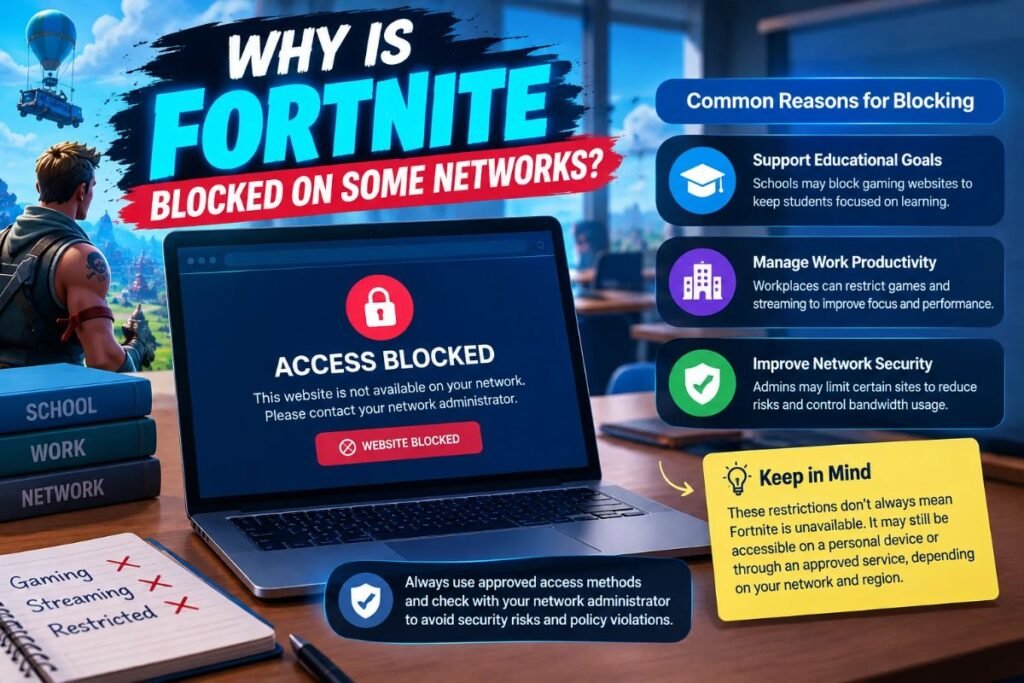
Schools and workplaces may restrict gaming websites to support their educational or professional activities. Network administrators can also limit streaming services to manage bandwidth, security and device usage.
These restrictions do not necessarily mean Fortnite is unavailable everywhere. The game may still be accessible on a personal device or through an approved service, depending on local rules and regional availability.
If you are using a managed computer or network, ask the administrator which services are permitted. Do not assume that a website described as unblocked is authorized for use on that network.Using an approved access method helps avoid unnecessary security risks and policy violations.
Conclusion
Unblocked Fortnite describes different ways people look for Fortnite or similar games when access is restricted. Understanding the difference between official Fortnite, cloud streaming and browser based alternatives helps you choose the right option.
Cloud gaming can provide browser based access without installing the complete game, provided your device and region are supported. A reliable internet connection is also important for responsive gameplay.
For safer Fortnite online gaming, use official access methods, protect your account information and follow school or workplace network policies. Always check current service requirements before choosing how to play.
FAQs
What does unblocked Fortnite mean?
Unblocked Fortnite is a search term for accessing Fortnite or similar games when gaming websites are restricted. It does not refer to a separate official Fortnite version.
Can you play Fortnite without downloading it?
Yes, supported cloud gaming services can stream Fortnite without requiring you to install the complete game locally. Availability depends on your device, region and provider.
Can you play Fortnite on a school computer?
It depends on the device, network rules and available services. If gaming is restricted by your school, follow its policies and use only approved access options.
Does Fortnite work on low end devices?
Cloud gaming can let compatible lower powered devices stream Fortnite, but a supported browser or application and a stable internet connection are still necessary.
How can you identify an unsafe Fortnite website?
Be cautious of suspicious downloads, unexpected extensions, excessive pop ups and requests for account passwords on unofficial pages. Prefer official Fortnite access and recognized cloud gaming services.